Database Schema & Operations Guide
TL;DR: OmniRoute uses SQLite with WAL journaling as its primary store, with AES-256-GCM encryption at rest for sensitive fields. This guide covers the schema, migrations, backup/recovery, and operational runbooks.
Sources:
src/lib/db/core.ts— singleton + SCHEMA_SQL (17 base tables)src/lib/db/migrationRunner.ts— versioned migrationssrc/lib/db/migrations/— 167 versioned SQL filessrc/lib/db/encryption.ts— encryption helperssrc/lib/db/backup.ts— backup export/importsrc/lib/db/healthCheck.ts— health diagnostics
Why SQLite?
Section titled “Why SQLite?”OmniRoute chose SQLite over PostgreSQL/MySQL for several reasons:
| Factor | SQLite | PostgreSQL |
|---|---|---|
| Deployment | Embedded — no separate server | Requires server setup |
| Encryption | Application-layer (AES-256-GCM) | Built-in TDE |
| Performance | Faster for small/medium workloads | Better for huge concurrent writes |
| Concurrency | WAL mode allows concurrent reads | Full MVCC |
| Backup | Single-file copy | pg_dump or filesystem snapshot |
| Use case | Per-user install, embedded | Multi-tenant SaaS |
For single-user, single-instance deployments (the primary OmniRoute use case), SQLite is simpler and faster.
WAL Journaling
Section titled “WAL Journaling”core.ts opens the database with WAL (Write-Ahead Logging) mode:
db.pragma("journal_mode = WAL");db.pragma("busy_timeout = 2000");db.pragma("synchronous = NORMAL");db.pragma(`cache_size = -${DEFAULT_DATABASE_SETTINGS.optimization.cacheSize}`);WAL allows concurrent reads during writes — important for the dashboard, which queries while requests are being recorded.
The default cache size is 65,536 KiB (64 MiB). SQLite interprets a negative
cache_size as an approximate upper bound in KiB and allocates pages on demand.
Settings > System & Storage > Cache Size accepts integer values from 1 to
1,000,000 KiB; saving the setting applies it to the live database connection,
and OmniRoute restores the persisted value at startup.
Database Location
Section titled “Database Location”The SQLite file is stored at:
| OS | Path |
|---|---|
| Linux | ~/.omniroute/storage.sqlite |
| macOS | ~/.omniroute/storage.sqlite |
| Windows | %USERPROFILE%\.omniroute\storage.sqlite |
| Docker | /app/data/storage.sqlite (configurable via DATA_DIR) |
Companion files:
storage.sqlite-wal— write-ahead logstorage.sqlite-shm— shared memory filecall_logs/— request payload artifacts (if enabled)
Override the location:
DATA_DIR=/custom/path omnirouteDomain Module Architecture
Section titled “Domain Module Architecture”OmniRoute’s database has 110 top-level TypeScript modules in src/lib/db/. Each domain module:
- Owns one or more specific tables
- Exports typed CRUD functions
- Never touches another module’s tables
- Uses
getDbInstance()fromcore.tsto access the DB
The 110 Top-Level DB Modules
Section titled “The 110 Top-Level DB Modules”OmniRoute has 110 top-level TypeScript files in src/lib/db/. Below is a sampling of core modules; see the directory listing for the complete list:
| Module | Tables | Responsibility |
|---|---|---|
providers.ts |
provider_connections |
OAuth/API key provider registration and credentials |
models.ts |
key_value (model data) |
Model definitions, capabilities, pricing |
combos.ts |
combos |
Combo routing configs and ordering |
apiKeys.ts |
api_keys |
API key lifecycle, scopes, quota tracking |
settings.ts |
key_value, api_keys, combos |
System configuration and shared KV store |
backup.ts |
— | Backup export/import operations |
proxies.ts |
proxy_registry, proxy_assignments, provider_connections |
Proxy configs and routing rules |
prompts.ts |
prompt_templates |
Reusable prompt templates, versioning |
webhooks.ts |
webhooks |
Event-driven webhook subscriptions and logs |
detailedLogs.ts |
request_detail_logs |
Per-request audit logging (optional, high volume) |
domainState.ts |
domain_* (5 tables) |
Domain budgets, circuit breakers, lockouts, fallback chains, cost history |
registeredKeys.ts |
registered_keys, account_key_limits, provider_key_limits |
Whitelisted API keys for MCP/A2A |
quotaSnapshots.ts |
quota_snapshots |
Historical quota usage |
modelComboMappings.ts |
model_combo_mappings |
Map models to combo defaults |
cliToolState.ts |
cli_tool_state |
CLI-specific persistent state |
encryption.ts |
— | Helpers for encrypting/decrypting fields |
readCache.ts |
— | In-memory cache for read-heavy ops |
secrets.ts |
key_value (encrypted entries) |
Encrypted secret storage |
stateReset.ts |
— | Wipe/reset DB state for testing |
contextHandoffs.ts |
context_handoffs |
Session context for agent handoff |
usage*.ts |
usage_history, call_logs, proxy_logs |
Usage tracking |
compression*.ts |
compression_settings, compression_combos |
Compression config |
Module Boundaries
Section titled “Module Boundaries”A core architectural rule: modules don’t access each other’s tables directly. To work with another module’s data, import the function from that module.
// ❌ WRONG: direct SQL from another moduledb.prepare("SELECT * FROM provider_connections").all();
// ✅ RIGHT: use the providers module functionimport { listProviders } from "@/lib/db/providers";const providers = await listProviders();
This rule is enforced by code review — there’s no static check, but violations are flagged.
Base Schema (17 tables)
Section titled “Base Schema (17 tables)”core.ts defines the 17 base tables in SCHEMA_SQL. These are created by migration 001_initial_schema.sql and form the core schema.
Core Tables (created in initial migration)
Section titled “Core Tables (created in initial migration)”| Table | Purpose | Key columns |
|---|---|---|
provider_connections |
Provider credentials (encrypted) | id, provider, auth_type, api_key, is_active |
provider_nodes |
Provider node routing info | id, type, name, base_url, created_at |
key_value |
General KV store | namespace, key, value |
combos |
Routing combo definitions | id, name, data, sort_order |
api_keys |
API keys for the gateway | id, name, key, machine_id, allowed_models |
db_meta |
Database metadata | key, value |
usage_history |
Request usage records | id, provider, model, tokens_input, tokens_output, timestamp |
call_logs |
Request payloads & responses | id, timestamp, status, model, provider, latency_ms |
proxy_logs |
Proxy request logs | id, timestamp, proxy_type, status, provider |
domain_fallback_chains |
Model-to-provider chains | model, chain |
domain_budgets |
Per-domain spend budgets | api_key_id, daily_limit_usd, warning_threshold, reset_interval |
domain_budget_reset_logs |
Budget reset history | id, api_key_id, reset_interval, previous_spend, reset_at |
domain_cost_history |
Per-domain cost tracking | id, api_key_id, cost, timestamp |
domain_lockout_state |
Domain rate-limit state | identifier, attempts, locked_until |
domain_circuit_breakers |
Circuit breaker state per domain | name, state, failure_count, last_failure_time |
semantic_cache |
LLM response cache | id, signature, model, prompt_hash, response |
quota_snapshots |
Historical quota snapshots | id, provider, connection_id, window_key, remaining_percentage |
Additional Tables (added by later migrations)
Section titled “Additional Tables (added by later migrations)”Subsequent migrations add tables such as:
cli_tool_state(migration 011) — CLI tool statemcp_*tables — MCP server audita2a_*tables — A2A task stateusage_*tables — usage trackingplugin_*tables — plugin systemskill_executions— skill execution historymemory_*tables — memory systemcompression_*tables — compression systemwebhook_*tables — webhook delivery logacp_*tables — Agent Client Protocoloneproxy_*tables — 1proxy marketplaceproxy_assignments— proxy scope bindingsdetailed_call_artifacts— call log artifacts metadataquota_alert_history— quota alert auditcommand_code_auth_sessions— Command Code OAuth sessions
The full list of ~30+ tables is in src/lib/db/migrations/.
Migrations
Section titled “Migrations”OmniRoute uses versioned, idempotent migrations in src/lib/db/migrations/. Each migration is a single SQL file named NNN_description.sql.
Migration Naming
Section titled “Migration Naming”001_initial_schema.sql002_mcp_a2a_tables.sql003_provider_node_custom_paths.sql...021_combo_call_log_targets.sqlHow Migrations Run
Section titled “How Migrations Run”At startup, migrationRunner.ts:
- Creates
_omniroute_migrationstable if not exists - Queries for already-applied migrations
- Applies any new migrations in order, each in a transaction
- Records each applied migration with timestamp
// src/lib/db/migrationRunner.ts (simplified)export async function runMigrations(db: SqliteDatabase, migrationsDir: string) {  const applied = getAppliedMigrations(db);  const available = readMigrationFiles(migrationsDir);
  for (const migration of available) {    if (applied.includes(migration.id)) continue;    db.transaction(() => {      db.exec(migration.sql);      recordAppliedMigration(db, migration.id);    })();  }}
Idempotency
Section titled “Idempotency”Migrations must be idempotent — running them twice should be a no-op:
-- 004_proxy_registry.sqlCREATE TABLE IF NOT EXISTS proxy_registry ( id TEXT PRIMARY KEY, host TEXT NOT NULL, port INTEGER NOT NULL, ...);Use IF NOT EXISTS, IF EXISTS, and OR IGNORE / OR REPLACE clauses liberally.
Adding a New Migration
Section titled “Adding a New Migration”- Identify the next number:
ls src/lib/db/migrations/ | tail -1 - Create the file:
NNN_my_change.sql - Use safe DDL:
CREATE TABLE IF NOT EXISTS,ALTER TABLE ... ADD COLUMN - Backfill data carefully: use
UPDATE ... WHERE ...to handle existing rows - Test on a copy: never run untested migrations on production
Example:
-- 022_add_combo_priority.sqlALTER TABLE combos ADD COLUMN priority INTEGER DEFAULT 100;UPDATE combos SET priority = 100 WHERE priority IS NULL;CREATE INDEX IF NOT EXISTS idx_combos_priority ON combos(priority);Backwards-incompatible changes (e.g., dropping columns) are tricky. OmniRoute does NOT support downgrade — once a migration is applied, the schema change is permanent. Plan accordingly.
Encryption at Rest
Section titled “Encryption at Rest”Sensitive fields (API keys, OAuth tokens, connection strings) are encrypted at rest using AES-256-GCM.
How It Works
Section titled “How It Works”// src/lib/db/encryption.ts (simplified)const key = deriveKeyFromPassphrase(passphrase, salt);const iv = randomBytes(12);const cipher = createCipheriv("aes-256-gcm", key, iv);const encrypted = Buffer.concat([cipher.update(plaintext), cipher.final()]);const authTag = cipher.getAuthTag();return { encrypted, iv, authTag };Where It’s Used
Section titled “Where It’s Used”provider_connections.api_key— encrypted at application levelprovider_connections.access_token,refresh_token,id_token— encrypted at application levelkey_valueentries withnamespace = "secrets"— encrypted at application levelproxy_registry.auth— encrypted at application level (if present)
Encryption Key
Section titled “Encryption Key”The encryption key is derived from a passphrase (set via STORAGE_ENCRYPTION_KEY env var) and a salt (stored in the DB). Both are required to decrypt data.
# Generate a secure passphraseopenssl rand -hex 32
# Set in .envSTORAGE_ENCRYPTION_KEY=<your-key>Critical: Losing the encryption key means losing access to all encrypted data. Back up the key separately from the database.
What’s NOT Encrypted
Section titled “What’s NOT Encrypted”For performance reasons, the following are stored in plaintext:
- Provider display names
- Model definitions (already public)
- Routing rules
- Usage records (no PII)
Encryption Caveats (v3.8.16+)
Section titled “Encryption Caveats (v3.8.16+)”OmniRoute uses migrateLegacyEncryptedString() to handle two encryption schemes transparently:
- Legacy (pre-v3.5.0): XOR-based “encryption” (not real crypto)
- Current: AES-256-GCM with proper IV and auth tag
The migration helper detects the legacy format and re-encrypts with the new scheme on first read. This means you can upgrade an old database without losing credentials.
Read Cache
Section titled “Read Cache”For frequently-read data (models, providers, settings), readCache.ts provides an in-memory cache:
// Cached at startup, invalidated on writeconst providers = await getCachedProviders(); // Fast, in-memoryconst fresh = await listProviders(); // Slow, hits DB| Cached entity | Cache key | TTL |
|---|---|---|
models |
models:v1 |
Until write |
provider_connections |
providers:v1 |
Until write |
settings |
settings:v1 |
Until write |
combos |
combos:v1 |
Until write |
Cache is invalidated on every write to the corresponding table.
Backup and Recovery
Section titled “Backup and Recovery”Manual Backup
Section titled “Manual Backup”# Use the CLI to create a local backupomniroute backup create --name pre-migration
# Or via the APIcurl -X PUT http://localhost:20128/api/db-backups \ -H "Authorization: Bearer $MANAGEMENT_KEY" \ -H "Content-Type: application/json" \ -d '{"name": "pre-migration"}'The backup file includes:
- All DB tables (serialized to JSON)
- Call log artifacts (base64-encoded, optional)
- Settings + secrets (encrypted)
- Plugin configuration
Restore
Section titled “Restore”# Via CLIomniroute restore pre-migration
# Via APIcurl -X POST http://localhost:20128/api/db-backups/restore \ -H "Authorization: Bearer $MANAGEMENT_KEY" \ -H "Content-Type: application/json" \ -d '{"name": "pre-migration"}'Warning: Restore overwrites the entire DB. Stop all clients first.
Automated Backups
Section titled “Automated Backups”# Enable automated daily backups via CLIomniroute backup auto enable --cron "0 2 * * *" --retention 7The schedule is executed server-side by a background job that ticks every 30 seconds (default) and evaluates the cron expression against local server time.
| Variable | Default | Description |
|---|---|---|
OMNIROUTE_BACKUP_SCHEDULE_JOB_INTERVAL_MS |
30000 |
Tick interval in ms (min 5000). Must be shorter than 60 s to reliably land inside the matching cron minute. |
SQLite Hot Backup
Section titled “SQLite Hot Backup”For zero-downtime backup of a live DB:
sqlite3 ~/.omniroute/storage.sqlite ".backup /backups/omniroute-hot.db"This uses SQLite’s online backup API — safe to run while OmniRoute is running.
Performance Tuning
Section titled “Performance Tuning”WAL Mode
Section titled “WAL Mode”WAL is enabled by default. For high-write workloads, consider:
PRAGMA wal_autocheckpoint = 1000; -- Checkpoint every 1000 pagesPRAGMA journal_size_limit = 67108864; -- 64MB WAL capIndexes
Section titled “Indexes”Key indexes for performance (auto-created by migrations):
idx_models_provider— model lookups by provideridx_combo_targets_combo_id— combo target expansionidx_usage_history_api_key_timestamp— usage analyticsidx_quota_snapshots_api_key_window— quota trackingidx_call_logs_timestamp— call log queries
To add a new index, create a migration:
-- 023_add_my_index.sqlCREATE INDEX IF NOT EXISTS idx_my_table_my_column ON my_table(my_column);Memory-Mapped I/O
Section titled “Memory-Mapped I/O”For very large databases (>10GB), memory mapping can be adjusted via SQLite pragma:
-- Set via SQLite pragma (adjust in core.ts or runtime)PRAGMA mmap_size = 268435456; -- 256MBCompaction
Section titled “Compaction”Long-running OmniRoute instances benefit from occasional VACUUM:
sqlite3 ~/.omniroute/storage.sqlite "VACUUM;"Run monthly during low-traffic windows. (WAL mode reduces the need, but doesn’t eliminate it.)
Health Check
Section titled “Health Check”src/lib/db/healthCheck.ts provides DB-level health diagnostics:
Both verbs require authentication (401 otherwise). GET diagnoses only; POST runs the
same check with autoRepair enabled.
GET /api/db/health # diagnosePOST /api/db/health # diagnose + repairThe response is the DbHealthCheckResult produced by runDbHealthCheck()
(src/lib/db/healthCheck.ts):
{ "isHealthy": false, "issues": [ { "type": "broken_reference", "table": "domain_budgets", "description": "Domain budgets referenced API keys that no longer exist.", "count": 2 } ], "repairedCount": 0, "backupCreated": false, "autoRepair": false, "checkedAt": "2026-08-18T09:00:00.000Z", "driver": { "name": "better-sqlite3", "degraded": false }}| Field | Meaning |
|---|---|
isHealthy |
true when issues is empty. driver never influences it. |
issues[].type |
One of integrity_check_failed, broken_reference, stale_snapshot, invalid_state. |
repairedCount |
Rows repaired during this run; always 0 when autoRepair is false. |
backupCreated |
Whether a backup was taken before repairing. |
checkedAt |
ISO timestamp shared by the run and by any repair note it writes. |
driver.name |
SQLite driver serving the checked database. |
driver.degraded |
true when writes are not durably backed by the database file — the sql.js WASM fallback (whole-file persistence) or an in-memory database. |
The same payload is returned by the omniroute_db_health_check MCP tool.
Run PRAGMA integrity_check to detect corruption:
sqlite3 ~/.omniroute/storage.sqlite "PRAGMA integrity_check;"# Should print: okIf it returns anything other than ok, stop using the database immediately and restore from backup.
Disaster Recovery
Section titled “Disaster Recovery”Scenario 1: WAL File Lost
Section titled “Scenario 1: WAL File Lost”The -wal file is missing but -shm and main DB are intact:
# Recovers automatically on next openomnirouteIf SQLite can’t auto-recover:
sqlite3 ~/.omniroute/storage.sqlite ".recover" > recovered.sqlsqlite3 recovered.db < recovered.sqlmv recovered.db ~/.omniroute/storage.sqliteScenario 2: Main DB File Corrupted
Section titled “Scenario 2: Main DB File Corrupted”Restore from backup:
omniroute sync pull --merge # or: omniroute backup restore <backup-id>Scenario 3: Encryption Key Lost
Section titled “Scenario 3: Encryption Key Lost”No recovery possible without the key. The encrypted fields are unreadable. Re-add all providers manually with new credentials.
Mitigation: Always back up the encryption key separately, ideally in a password manager or KMS.
Scenario 4: Disk Full
Section titled “Scenario 4: Disk Full”SQLite will return SQLITE_FULL errors. Free disk space, then:
# Checkpoint WAL to free up spacesqlite3 ~/.omniroute/storage.sqlite "PRAGMA wal_checkpoint(TRUNCATE);"Common Operations
Section titled “Common Operations”Inspect a Table
Section titled “Inspect a Table”sqlite3 ~/.omniroute/storage.sqlite "SELECT * FROM api_keys LIMIT 5;"Count Rows in All Tables
Section titled “Count Rows in All Tables”sqlite3 ~/.omniroute/storage.sqlite <<EOFSELECT name FROM sqlite_master WHERE type='table' AND name NOT LIKE 'sqlite_%';EOFReset (Wipe) All Data
Section titled “Reset (Wipe) All Data”# Stop OmniRoute firstomniroute stop
# Delete the DB filerm ~/.omniroute/storage.sqlite*
# Restart (will recreate empty DB)omnirouteFor a selective reset (keep providers, wipe usage):
DELETE FROM usage_history WHERE timestamp < datetime('now', '-30 day');DELETE FROM call_logs WHERE timestamp < datetime('now', '-30 day');DELETE FROM proxy_logs WHERE timestamp < datetime('now', '-30 day');Export Single Table
Section titled “Export Single Table”sqlite3 ~/.omniroute/storage.sqlite <<EOF.mode csv.output api_keys.csvSELECT * FROM api_keys;EOFTroubleshooting
Section titled “Troubleshooting”“Database is locked”
Section titled ““Database is locked””Another process is holding a write lock. Either:
- Wait for the other process to finish (check
lsof | grep storage.sqlite) - Kill the other process
- If persistent, restart OmniRoute
“Foreign key constraint failed”
Section titled ““Foreign key constraint failed””A domain module is violating referential integrity. Check:
- Orphaned rows in dependent tables
- Cascading deletes that didn’t propagate
- Recent migration that changed a foreign key
Run PRAGMA foreign_key_check; to find violations.
“Out of memory”
Section titled ““Out of memory””SQLite’s memory-mapped I/O is exceeding the OS limit. Reduce via SQLite pragma:
PRAGMA mmap_size = 134217728; -- 128MB instead of 256MBOr disable:
PRAGMA mmap_size = 0;“Migration failed mid-way”
Section titled ““Migration failed mid-way””The migration ran in a transaction, so it should have rolled back. If not:
- Stop OmniRoute (prevent further attempts)
- Check the DB state with
sqlite3 - Manually fix the partial migration
- Re-run OmniRoute (the migration will be retried)
To prevent this, always test migrations on a copy first.
See Also
Section titled “See Also”- USAGE_QUOTA_GUIDE.md — usage tables
- MONITORING_GUIDE.md — health monitoring
- RELEASE_CHECKLIST.md — release flow
- Source:
src/lib/db/(80+ files, ~25K LOC)
HagiCode
HagiCode is an agentic coding workspace: structured workflows, multi-agent execution, and Hero Dungeon views turn ideas into shipped software.
Turn ideas into polished, usable software with a smarter, faster, and more enjoyable agentic coding workflow.
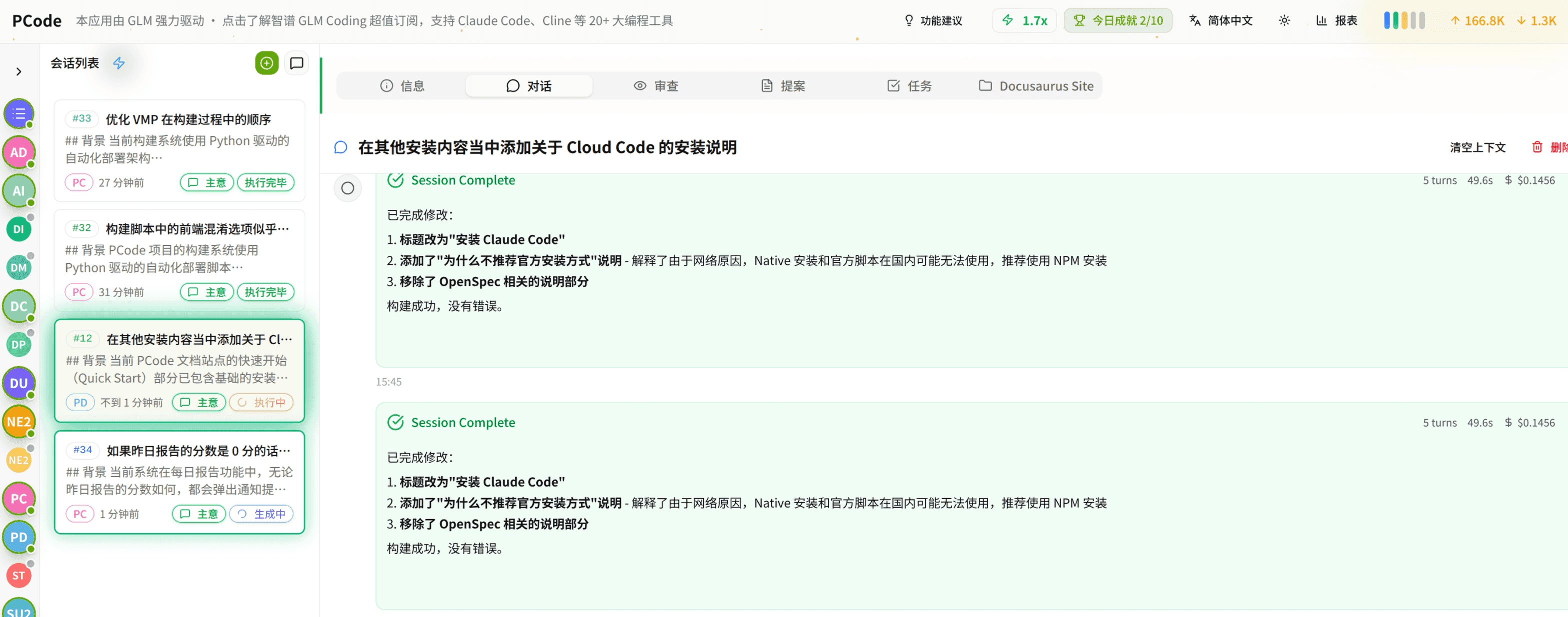
- SmartStructured workflows turn intent into an executable path from idea to shipped change.
- EfficientMulti-agent workflows keep research, implementation, and review moving in parallel.
- FunHero Dungeon interfaces make long coding sessions visual, collaborative, and rewarding.