
Diagrams
Mermaid sources (.mmd) and exported SVGs for OmniRoute v3.8.0 architecture flows.
Canonical diagrams
Section titled “Canonical diagrams”| Source | Exported | Used in |
|---|---|---|
| request-pipeline.mmd | SVG | docs/architecture/ARCHITECTURE.md, docs/architecture/CODEBASE_DOCUMENTATION.md |
| auto-combo-scoring.mmd | SVG | docs/routing/AUTO-COMBO.md |
| resilience-3layers.mmd | SVG | docs/architecture/RESILIENCE_GUIDE.md, CLAUDE.md |
| i18n-flow.mmd | SVG | docs/guides/I18N.md |
| mcp-tools.mmd | SVG | docs/frameworks/MCP-SERVER.md |
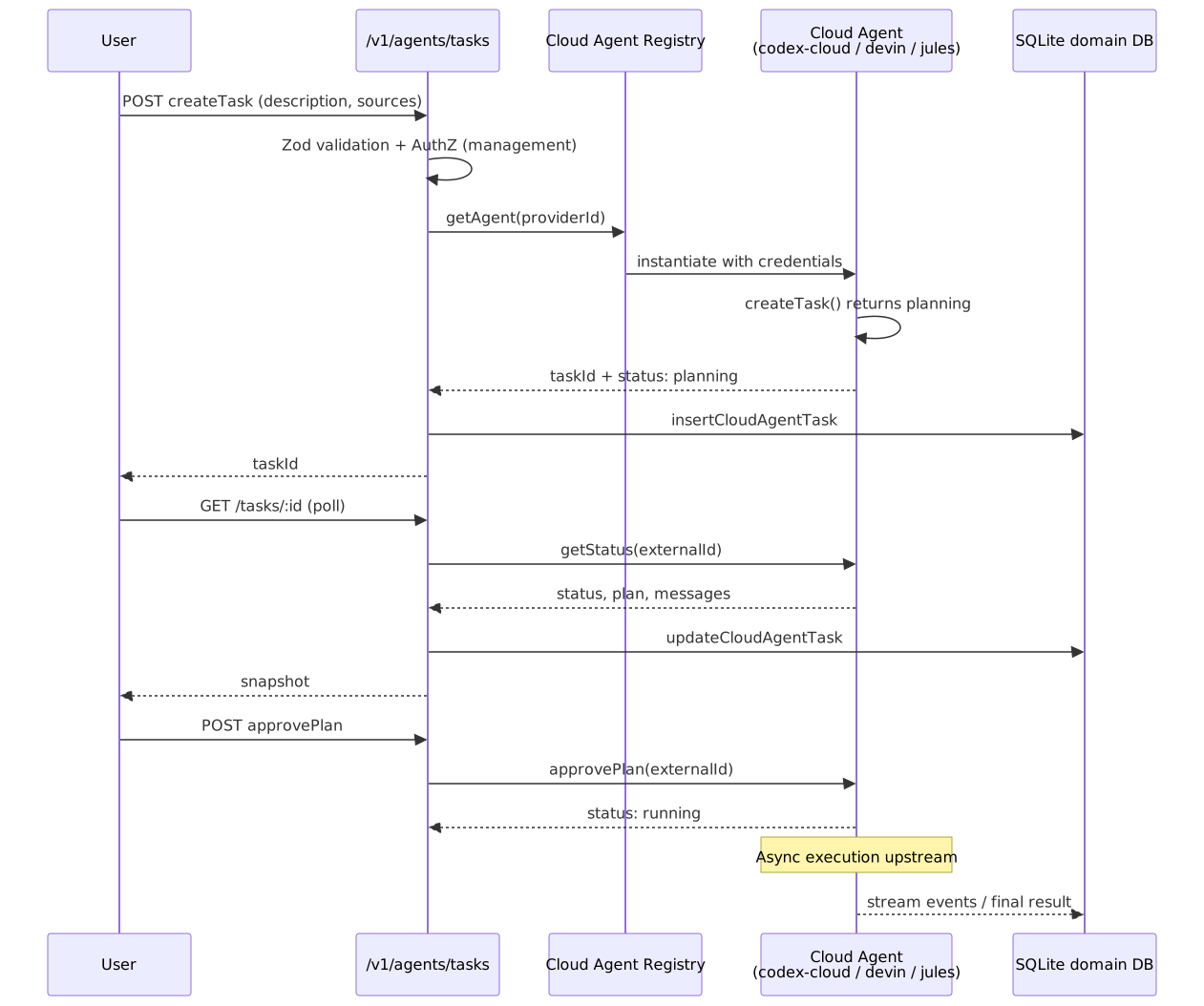
| cloud-agent-flow.mmd | SVG | docs/frameworks/CLOUD_AGENT.md |
| authz-pipeline.mmd | SVG | docs/architecture/AUTHZ_GUIDE.md |
| db-schema-overview.mmd | SVG | docs/architecture/CODEBASE_DOCUMENTATION.md |
Hand-authored animated diagrams
Section titled “Hand-authored animated diagrams”Not every diagram comes from a .mmd source. Hand-authored SVGs live at this
directory’s root and animate with SMIL only (no JS, no external fonts), so they play
inside GitHub’s <img> sandbox:
| File | Used in | Notes |
|---|---|---|
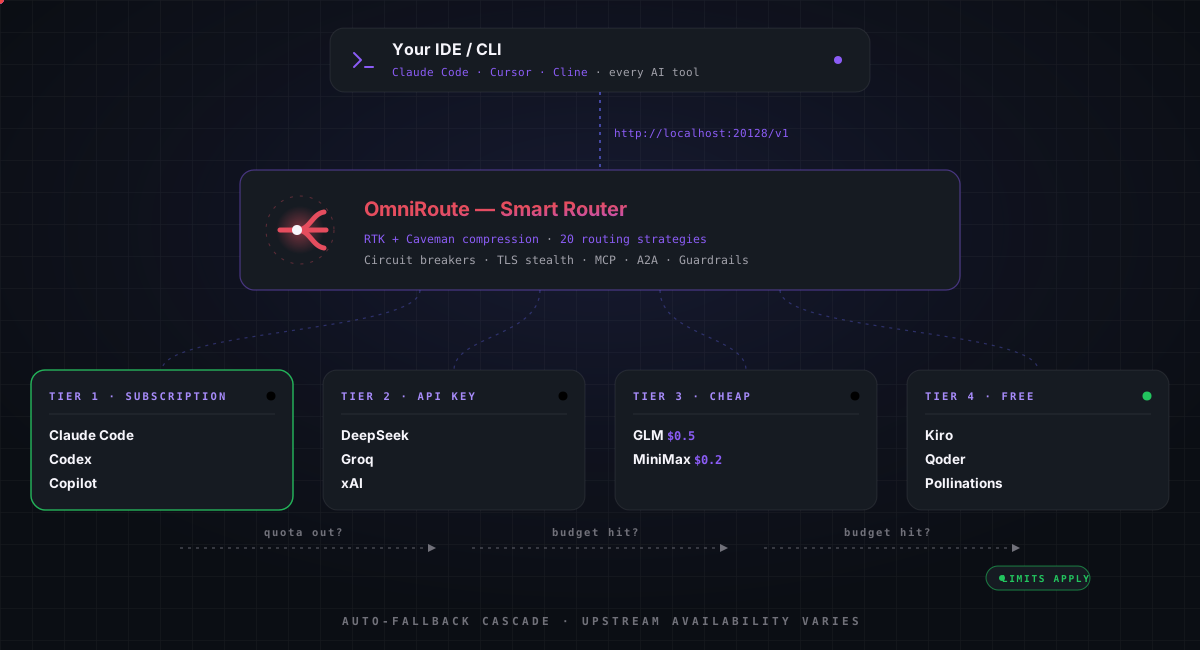
| tier-cascade.svg | README.md (root) | Animated 4-tier auto-fallback cascade (16s loop, 4 acts). Edit the SVG directly — there is no .mmd source. |
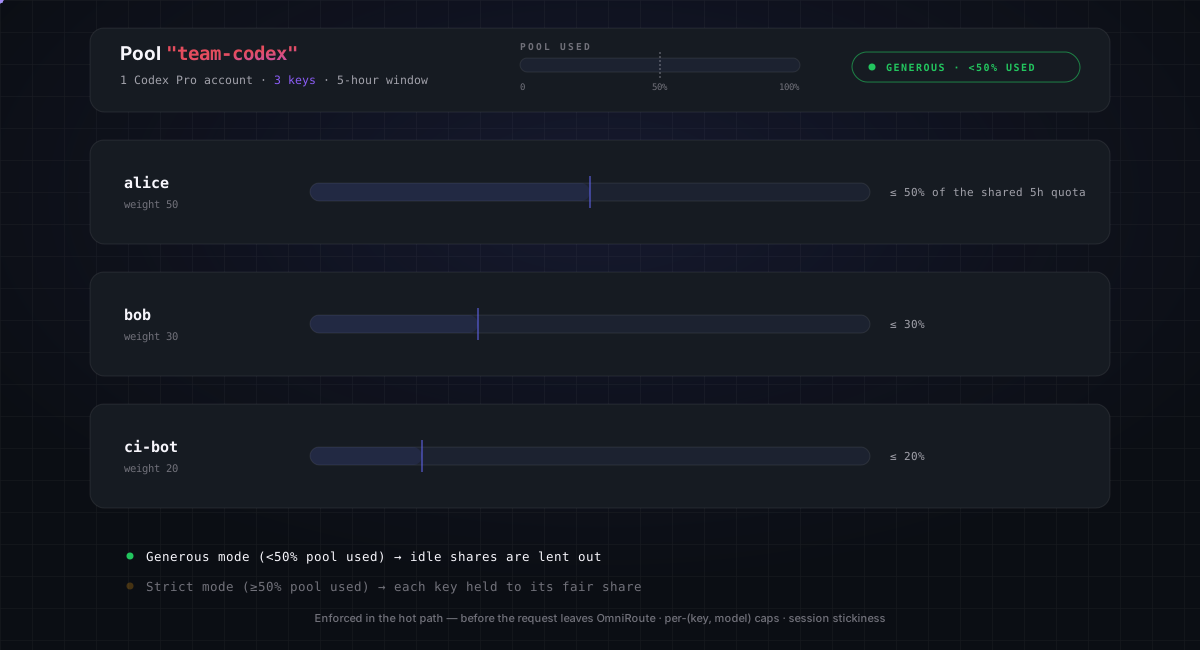
| pool-fair-share.svg | — (unused) | Animated key-pool fair-share quota (generous → strict, 16s loop). Edit the SVG directly — there is no .mmd source. |
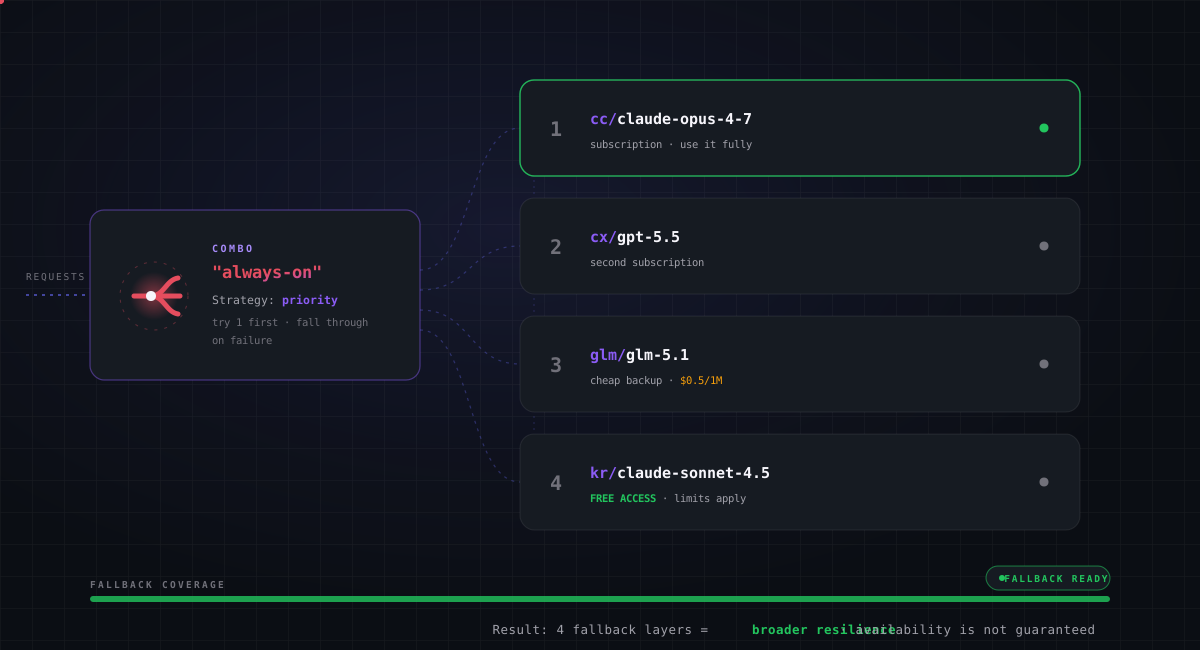
| combo-always-on.svg | style reference | Animated priority-combo fallback (4 layers, 16s loop). Edit the SVG directly — there is no .mmd source. |
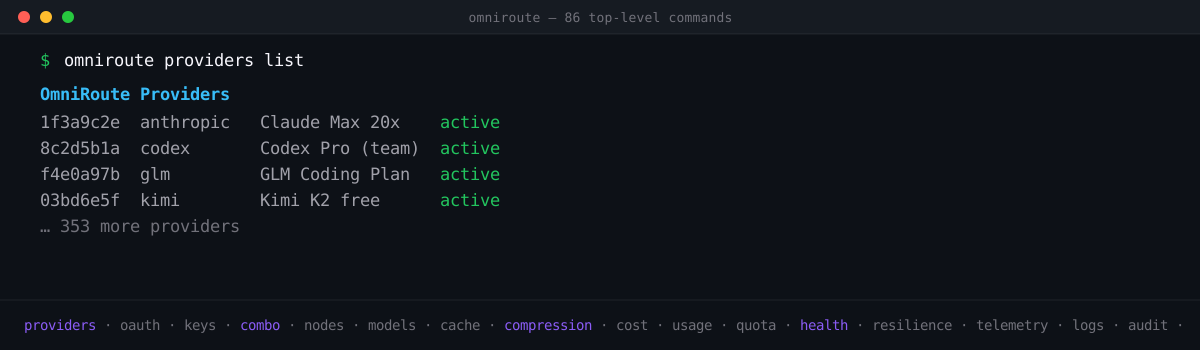
| cli-terminal.svg | README.md (root) | Compact half-height animated terminal (1200×350): 3 real CLI commands cycling with typewriter + scrolling subcommand ticker; first frame = completed providers screen. Edit the SVG directly — there is no .mmd source. |
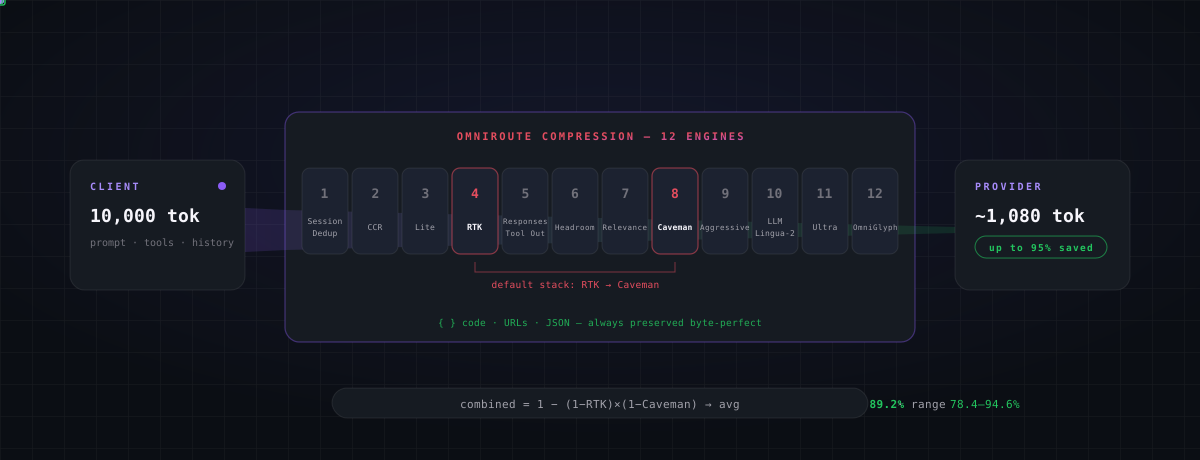
| compression-pipeline.svg | README.md (root) | Animated 12-engine compression funnel (8s loop). Edit the SVG directly — there is no .mmd source. |
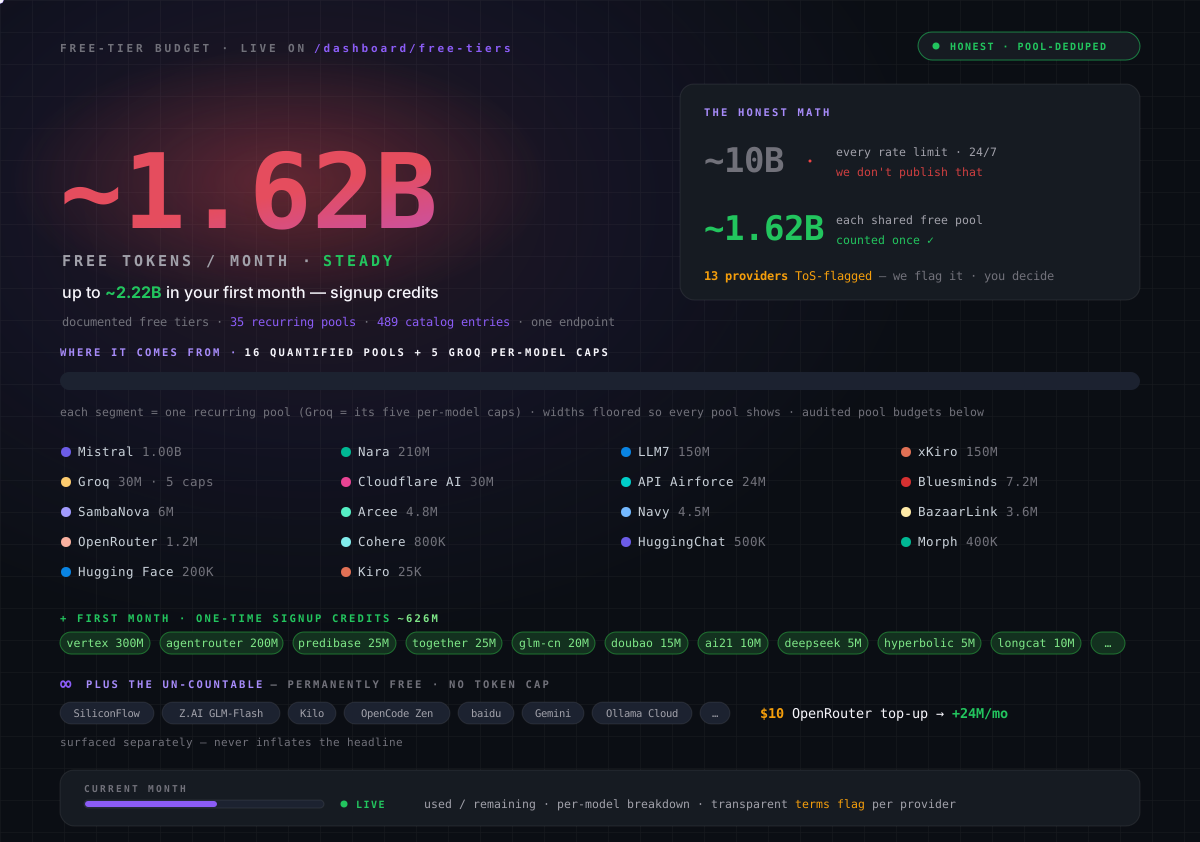
| free-tier-budget.svg | README.md (root) | Animated free-tier budget card (~1.62B/mo quantified headline, 17-pool + Groq-caps budget bar, per-pool grid, signup credits, 10s loop). Edit the SVG directly — there is no .mmd source. |
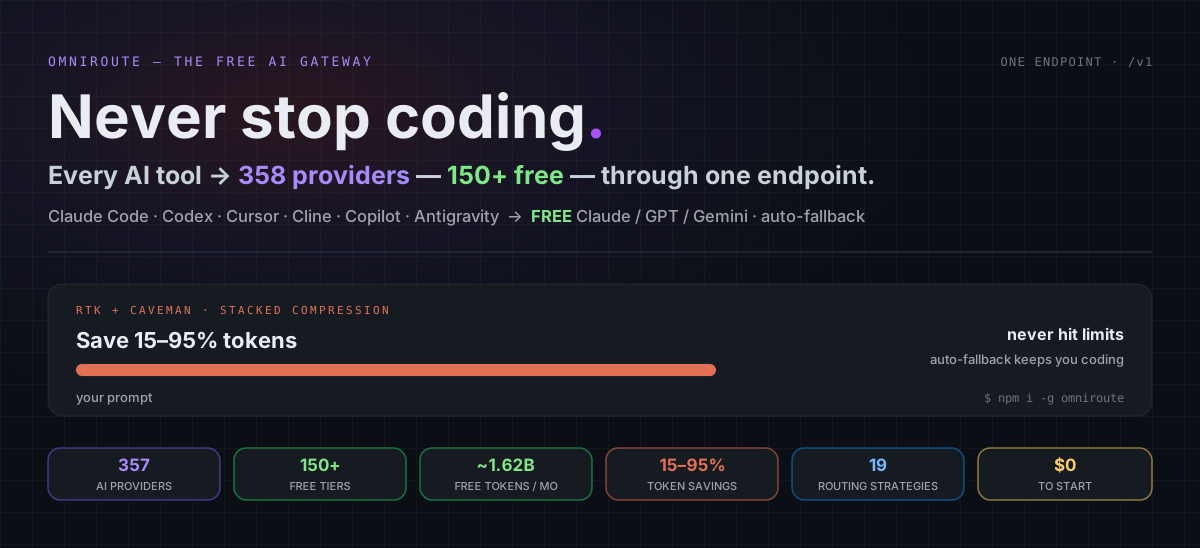
| readme-hero.svg | README.md (root) | Animated hero card (tagline, live provider/free-access headline, full-width compression bar demo, 6 stat chips). Edit the SVG directly — there is no .mmd source. |
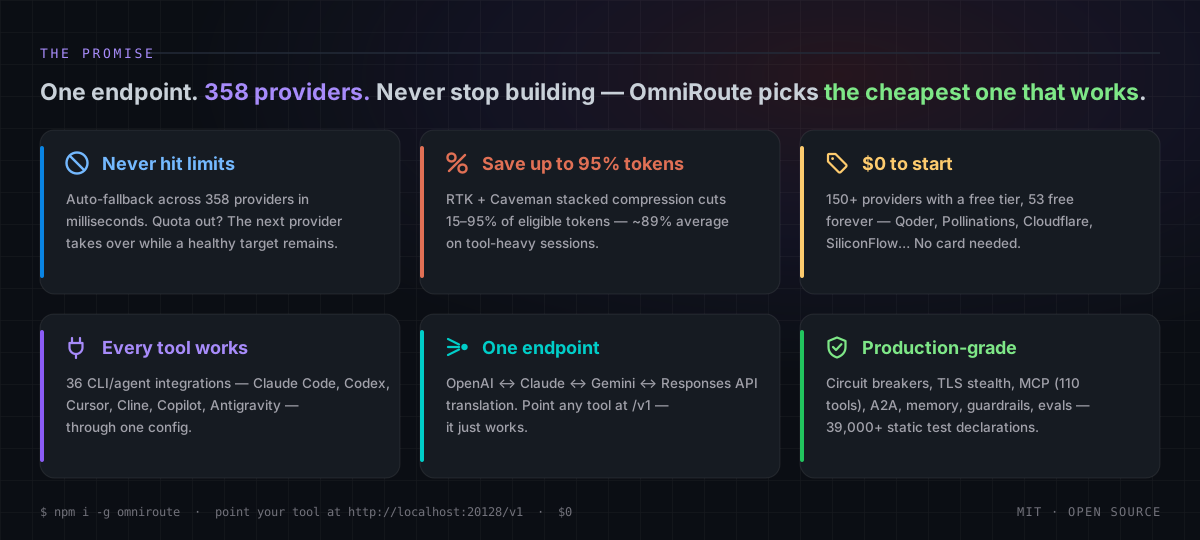
| promise-pillars.svg | README.md (root) | Animated “The Promise” 6-pillar card (12s border-highlight sweep). Edit the SVG directly — there is no .mmd source. |
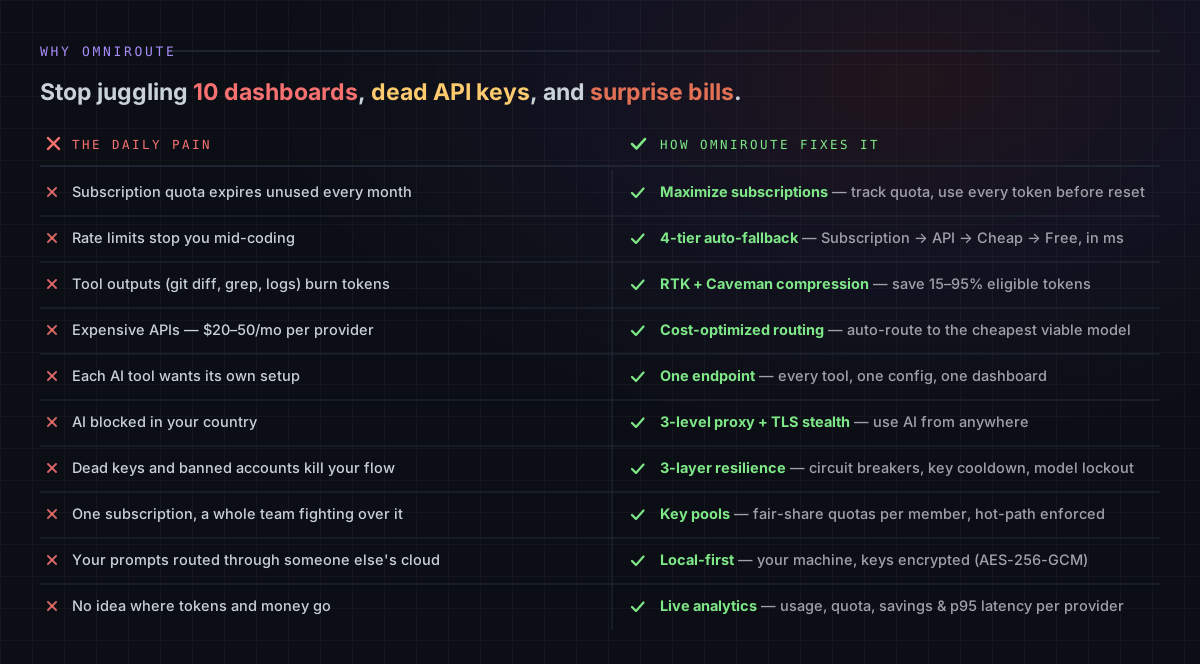
| why-pain-fix.svg | README.md (root) | Animated “Why OmniRoute” 10-row pain-vs-fix ledger (15s green row sweep). Edit the SVG directly — there is no .mmd source. |
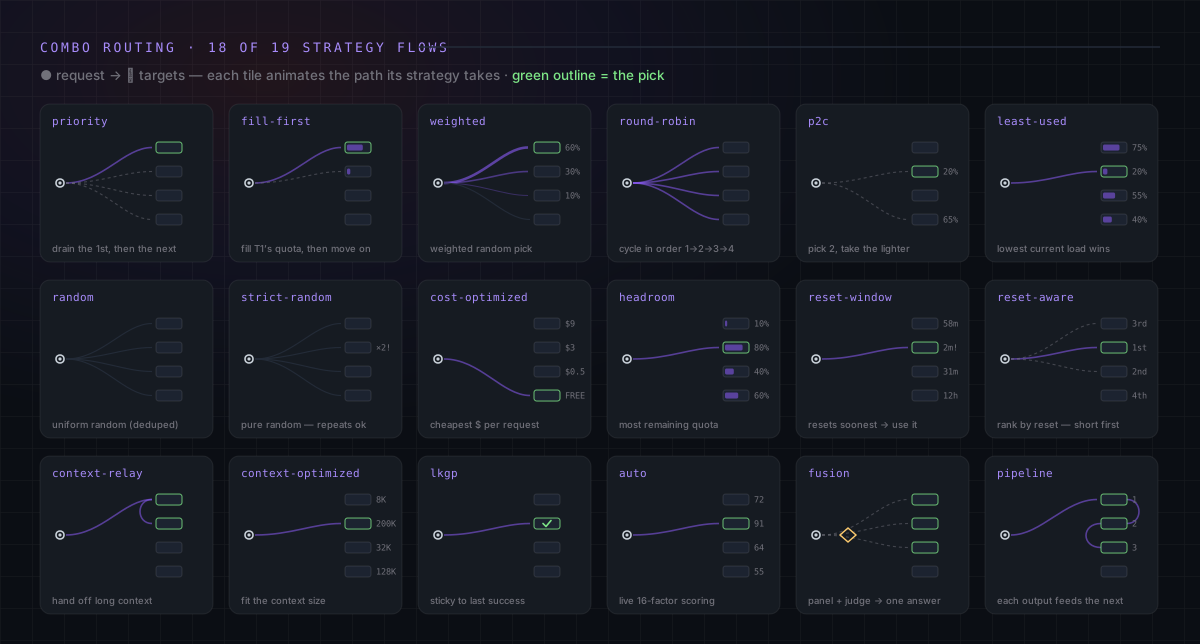
| strategies-grid.svg | README.md (root) | Animated grid illustrating 18 of the 19 routing strategies; cache-optimized remains documented in the adjacent table. Edit the SVG directly — there is no .mmd source. |
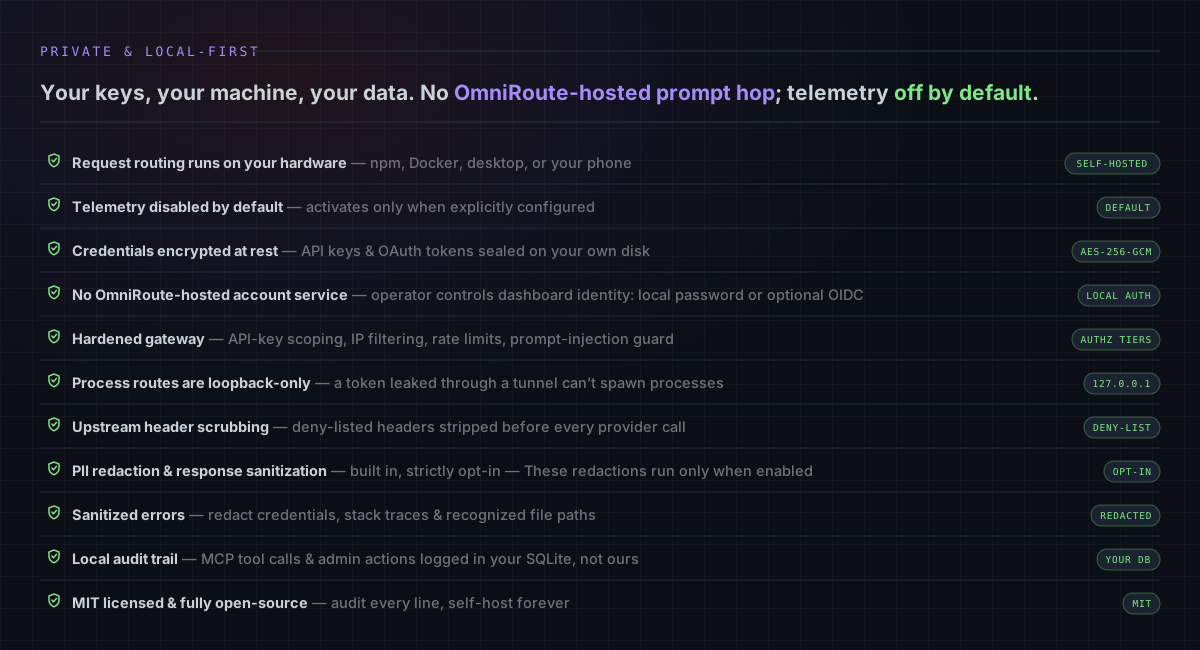
| privacy-local.svg | README.md (root) | Animated “Private & Local-First” 11-row guarantee ledger with receipt chips (16s green row sweep). Edit the SVG directly — there is no .mmd source. |
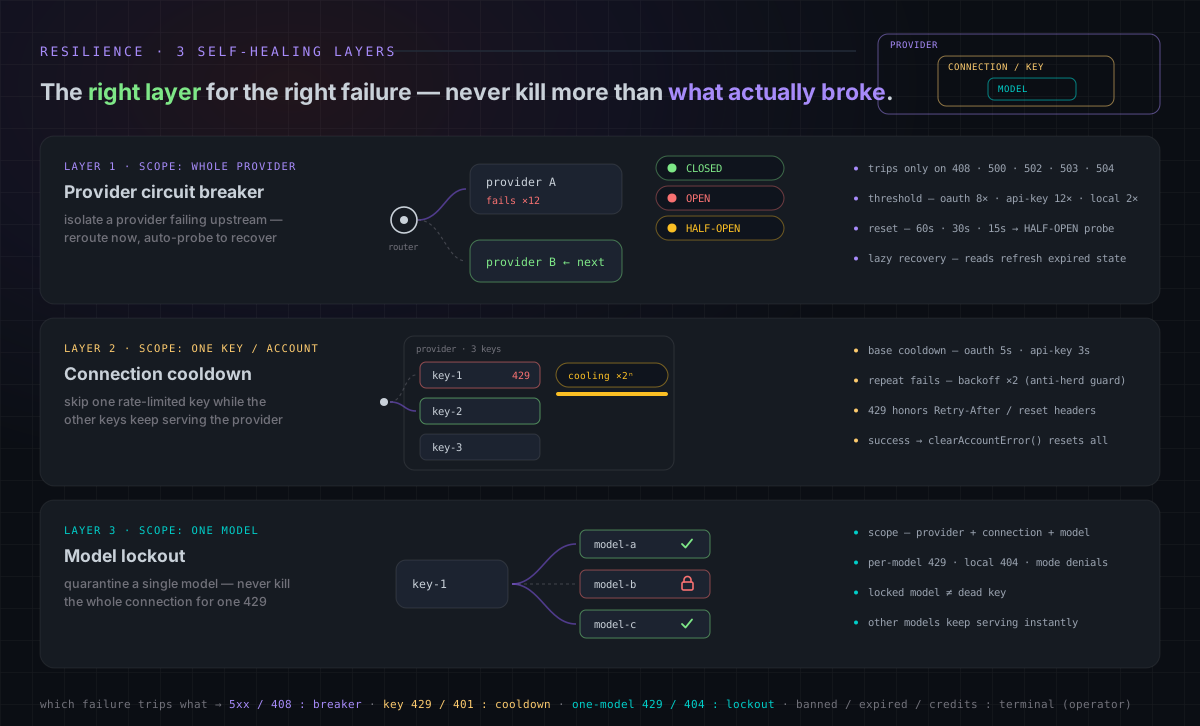
| resilience-layers.svg | README.md (root) | Animated 3-layer resilience card (breaker states CLOSED→OPEN→HALF-OPEN, key cooldown with ×2 backoff, model lockout — 18s loops). Edit the SVG directly — there is no .mmd source. |
How to update
Section titled “How to update”- Edit
*.mmd. - Re-render:
npm run docs:render-diagrams(uses@mermaid-js/mermaid-cli). - Commit both
.mmdand.svg.
If @mermaid-js/mermaid-cli is not available locally, install it once:
npm install -g @mermaid-js/mermaid-cliThe script renders every .mmd in docs/diagrams/ into docs/diagrams/exported/*.svg
with a white background, suitable for both dark and light themes.
Linking from a doc
Section titled “Linking from a doc”From a doc in docs/<subfolder>/, the relative path becomes ../diagrams/...:

> Source: [../diagrams/request-pipeline.mmd](../diagrams/request-pipeline.mmd)From the repo root (e.g. CLAUDE.md):
Conventions
Section titled “Conventions”- One concept per diagram. Don’t try to fit the whole platform in one chart.
- Keep node labels short (3-6 words). Use
<br/>for line breaks inside nodes. - Prefer
flowchart LRfor pipelines andflowchart TBfor layered models. - Use
sequenceDiagramfor interactive (request/response) flows. - Use
erDiagramfor database schema overviews. - Update both
.mmdand.svgin the same commit. Keep them in lock-step.
HagiCode
HagiCode is an agentic coding workspace. Rich, convenient UI interactions make planning, agent execution, and project work approachable and easy to navigate, creating an engaging development experience.
Explore an engaging development experience through rich, convenient UI interactions.

- SmartOpenSpec workflows turn intent into an executable path, from proposal to design, tasks, and a shipped change.
- EfficientMulti-agent execution keeps research, implementation, and review moving in parallel, across several repositories and the Agent CLIs you already use.
- InterestingRich, convenient UI interactions make planning, agent execution, and project work approachable and easy to navigate.
Download for Windows
Share HagiCode





Turn ideas into shipped software.
HagiCode is an agentic coding workspace. OpenSpec workflows plan the change, multi-agent execution carries it out, and Hero Scenario makes the long run visible, so ideas become shipped software.
- Smart
- OpenSpec workflows turn intent into a path from proposal to shipped change.
- Efficient
- Multi-agent execution runs research, build, and review in parallel.
- Fun
- Rich UI interactions make planning, agent work, and projects easier to follow.
© 2026 HagiCode | Powered By hagilight-starlight@0.21.0 | Branch: main | Commit: de60bcd | Built: