RTK Compression
RTK compression is OmniRoute’s command-aware compression engine for terminal and tool output. It is designed for coding-agent sessions where most context growth comes from test logs, build output, package manager noise, shell transcripts, Docker output, git output, and stack traces.
RTK can run directly with defaultMode: "rtk" or as the first step in a stacked pipeline, usually:
rtk -> cavemanThat order compresses noisy machine output first, then lets Caveman condense remaining prose.
Upstream RTK reports 60-90% command-output savings. Its README sample session goes from
~118,000 standard tokens to ~23,900 RTK tokens, which is 79.7% saved (~80%). OmniRoute uses
that upstream average for the stacked savings calculation with Caveman input compression:
RTK average: 80% savedCaveman input: 46% savedStacked: 1 - (1 - 0.80) * (1 - 0.46) = 89.2% savedRange: 1 - (1 - 0.60..0.90) * (1 - 0.46) = 78.4-94.6%What It Compresses
Section titled “What It Compresses”The built-in catalog currently ships 49 filters across these categories:
| Category | Examples |
|---|---|
git |
git status, git branch, git diff, git log |
test |
Vitest, Jest, Pytest, Playwright, Go tests, Cargo tests |
build |
TypeScript, ESLint, Biome, Prettier, Vite, Webpack, Turbo, Nx |
package |
npm install, npm audit, pip, uv sync, Poetry, Bundler |
shell |
ls, find, grep, generic shell logs |
docker |
docker ps, Docker logs |
infra |
Terraform, OpenTofu, systemctl status |
generic |
JSON output, stack traces, generic output fallback |
The detector in open-sse/services/compression/engines/rtk/commandDetector.ts classifies output
before filter selection. Filters can also match by command pattern or output regex when a command
class is not enough.
Filter Resolution
Section titled “Filter Resolution”RTK loads filters in this order:
- Project filters from
.rtk/filters.tomland.rtk/filters.json, only when trusted. - Global filters from
DATA_DIR/rtk/filters.tomlandDATA_DIR/rtk/filters.json. - Built-in filters from
open-sse/services/compression/engines/rtk/filters/.
Within the same scope, RTK TOML schema v1 filters take precedence over OmniRoute JSON filters. TOML
match_command expressions are checked before command-type matching so an imported command-specific
filter can override a broader filter in that scope. Project scope still takes precedence over global
scope, regardless of file format.
Project filters are intentionally trust-gated because regex filters can change how tool output is shown to agents. A project filter file is accepted when one of these is true:
rtkConfig.trustProjectFiltersistrue.OMNIROUTE_RTK_TRUST_PROJECT_FILTERS=1is set..rtk/trust.jsoncontains the matching SHA-256 hash for the project filter file.
Trust file example:
{ "filtersSha256": "0123456789abcdef...", "filtersTomlSha256": "fedcba9876543210..."}The hashes are separate: filtersSha256 trusts .rtk/filters.json, while filtersTomlSha256
trusts .rtk/filters.toml. Editing either file invalidates only its own trust entry. Global files
are administrator-installed and use the existing global-filter trust behavior.
Custom filters can be one filter object or an array of filter objects. Invalid custom filters are
skipped and reported by /api/context/rtk/filters diagnostics. Invalid built-in filters fail fast.
RTK TOML schema v1 compatibility
Section titled “RTK TOML schema v1 compatibility”OmniRoute can parse, validate, test, and install declarative filter files using RTK TOML schema v1.
The supported fields are description, match_command, strip_ansi, filter_stderr,
strip_lines_matching, keep_lines_matching, replace, match_output, truncate_lines_at,
head_lines, tail_lines, max_lines, on_empty, and [[tests.<filter>]] inline tests.
Unknown fields, invalid or unsafe regular expressions, simultaneous strip/keep rules, files over
1 MiB, and references to unknown filters are rejected. A file whose inline tests fail can be
validated for inspection but cannot be installed or loaded. Custom-file load failures remain
fail-open: the invalid file is skipped and the remaining filters continue to work.
OmniRoute receives tool output after the client has already captured it, so filter_stderr = true
cannot change process capture. The field is accepted as a no-op and validation returns a warning.
This is intentionally described as RTK TOML schema v1 compatibility, not full compatibility
with the RTK executable, shell hooks, Rust command implementations, or its trust-store layout.
The dashboard’s advanced RTK view accepts pasted or uploaded TOML. Validation is read-only.
Installation writes DATA_DIR/rtk/filters.toml atomically with restrictive permissions and refreshes
the live filter catalog without a restart. Replacing an existing file requires explicit overwrite
confirmation and creates DATA_DIR/rtk/filters.toml.bak first.
Filter DSL
Section titled “Filter DSL”Filters use the JSON schema described in Compression Rules Format. The runtime applies these stages in order:
stripAnsi -> filterStderr -> replace -> matchOutput -> drop/include lines -> truncateLineAt -> head/tail/maxLines -> onEmptyImportant fields:
| Field | Purpose |
|---|---|
rules.stripAnsi |
Remove terminal color/control sequences before matching |
rules.filterStderr |
Normalize common stderr prefixes before matching/filtering |
rules.replace |
Apply ordered regex replacements |
rules.matchOutput |
Return a compact summary when output matches a known condition |
rules.matchOutput[].unless |
Skip the shortcut when an error/failure pattern is present |
rules.dropPatterns |
Remove noisy lines |
rules.includePatterns |
Prefer actionable lines |
rules.collapsePatterns |
Collapse repeated matching lines |
rules.deduplicate |
Per-filter opt-in: collapse consecutive duplicate lines |
rules.truncateLineAt |
Unicode-safe per-line truncation |
rules.onEmpty |
Fallback message if all lines are filtered out |
tests[] |
Inline samples used by the verify gate |
Built-in filters are expected to include inline tests[] samples. Custom filters should include
them too, especially when they are shared across projects.
Line Deduplication (two layers)
Section titled “Line Deduplication (two layers)”RTK collapses duplicate lines at two independent layers:
- Per-filter
deduplicate(opt-in, defaultfalse). A filter can setrules.deduplicate: trueto collapse consecutive duplicate lines within that filter’s matched output, before truncation. This runs insidelineFilter.ts. For legacy filters, it is auto-enabled when the filter definescollapsePatterns. Schema:deduplicate: z.boolean().default(false)inopen-sse/services/compression/engines/rtk/filterSchema.ts. - Engine-wide
deduplicateThreshold(default3). After all filters run, the engine collapses any run of>= deduplicateThresholdidentical consecutive lines across the whole result (deduplicateRepeatedLines, applied inengines/rtk/index.ts). The value is bounded to 2–100 on normalization.
The per-filter pass runs first (inside the filter), the engine-wide pass runs last (over the joined output), so the two compose without double-counting.
Line Grouping (enableGrouping)
Section titled “Line Grouping (enableGrouping)”When rtkConfig.enableGrouping is true (default false), RTK runs an additional groupSimilarLines
pass over the post-dedup result that collapses runs of near-equivalent (not byte-identical)
consecutive lines. rtkConfig.groupingThreshold (default 3) is the minimum run length that triggers
grouping. This is the structural counterpart to deduplicateThreshold: dedup handles exact repeats,
grouping handles “the same shape with small differences”. Both flags are part of the rtkConfig JSON
persisted in the key_value table (see Configuration above), so the setting survives restarts.
Code Comment Stripping (stripCodeComments / preserveDocstrings)
Section titled “Code Comment Stripping (stripCodeComments / preserveDocstrings)”When rtkConfig.applyToCodeBlocks is enabled, RTK can also strip comments from fenced code blocks:
stripCodeComments(defaultfalse) — opt-in. Whentrue, RTK removes comments from JavaScript and TypeScript fenced blocks. The flag was historically read but never applied, so the default stays at “preserve” to avoid a silent production change.preserveDocstrings(defaulttrue) — when stripping comments, JSDoc//** … */block comments are kept (they carry API documentation worth more than the bytes they cost). Set tofalseto strip those too.
Comment removal is implemented in open-sse/services/compression/engines/rtk/codeStripper.ts. It uses
the TypeScript parser (not a regex) so that string, template, and regex literals are never mistaken
for comments, and it bails out entirely when JSX is detected (so JSX expression-container comments are
never corrupted). Comment stripping currently applies to JavaScript and TypeScript only — other
languages in the stripper’s CodeLanguage set (Python, Rust, Go, Ruby, Java) have empty-line and
whitespace collapse but no comment removal. The stripped-block run is tagged rtk:code-strip in
rulesApplied.
Note — GCF / tabular encoding is a separate engine. RTK does not contain the “GCF” (Graph Compact Format) tabular/columnar JSON encoder. That encoder — which replaced an older
omni-tabularencoder — lives in the headroom engine (open-sse/services/compression/engines/headroom/, with the vendored codec underheadroom/gcf/). It is unrelated to the RTK filter pipeline documented here.
Configuration
Section titled “Configuration”Global settings are available through /api/settings/compression. RTK-specific settings are also
available through /api/context/rtk/config.
{ "defaultMode": "stacked", "autoTriggerMode": "stacked", "autoTriggerTokens": 32000, "stackedPipeline": [ { "engine": "rtk", "intensity": "standard" }, { "engine": "caveman", "intensity": "full" } ], "rtkConfig": { "enabled": true, "intensity": "standard", "applyToToolResults": true, "applyToCodeBlocks": false, "applyToAssistantMessages": false, "enabledFilters": [], "disabledFilters": [], "maxLinesPerResult": 120, "maxCharsPerResult": 12000, "deduplicateThreshold": 3, "customFiltersEnabled": true, "trustProjectFilters": false, "rawOutputRetention": "never", "rawOutputMaxBytes": 1048576, "enableGrouping": false, "groupingThreshold": 3, "stripCodeComments": false, "preserveDocstrings": true }}enabledFilters and disabledFilters use filter ids, for example test-vitest or git-diff.
The full rtkConfig shape is defined by RtkConfig / DEFAULT_RTK_CONFIG in
open-sse/services/compression/types.ts. The whole object is persisted as a single JSON value in
the SQLite key_value table under namespace = "compression", key = "rtkConfig"
(src/lib/db/compression.ts), and normalized on read by normalizeRtkConfig. So every field below
— including enableGrouping, groupingThreshold, stripCodeComments, and preserveDocstrings —
round-trips through the same store and survives a restart.
| Key | Default | Purpose |
|---|---|---|
deduplicateThreshold |
3 |
Engine-wide: min consecutive identical lines to collapse (bounded 2–100) |
enableGrouping |
false |
Opt-in: collapse runs of near-equivalent consecutive lines |
groupingThreshold |
3 |
Min consecutive similar-line run that triggers grouping |
stripCodeComments |
false |
Opt-in: remove comments from fenced code blocks (needs applyToCodeBlocks) |
preserveDocstrings |
true |
When stripping comments, keep JSDoc//** … */ blocks |
| Route | Method | Purpose |
|---|---|---|
/api/context/rtk/config |
GET | Read RTK config |
/api/context/rtk/config |
PUT | Update RTK config |
/api/context/rtk/filters |
GET | List filter catalog and load diagnostics |
/api/context/rtk/import |
POST | Validate or install RTK TOML schema v1 files |
/api/context/rtk/test |
POST | Preview RTK compression for one text payload |
/api/context/rtk/raw-output/[id] |
GET | Read retained redacted raw output |
/api/compression/preview |
POST | Preview any compression mode |
RTK test payload:
{ "command": "npm test", "text": "FAIL tests/example.test.ts\nAssertionError: expected true\nTest Files 1 failed", "config": { "intensity": "standard" }}Compression preview payload:
{ "mode": "stacked", "messages": [ { "role": "tool", "content": "FAIL tests/example.test.ts\nAssertionError: expected true\nTest Files 1 failed" } ], "config": { "rtkConfig": { "rawOutputRetention": "failures" } }}Management routes require dashboard management auth or the matching API-key policy.
RTK TOML validation payload:
{ "action": "validate", "content": "schema_version = 1\n\n[filters.my-tool]\nmatch_command = \"^my-tool\\\\b\"\nmax_lines = 20\n"}Use "action": "install" to install the validated file globally. Add "overwrite": true only
after reviewing and confirming replacement of an existing global file.
Raw Output Recovery
Section titled “Raw Output Recovery”RTK normally returns only compressed text. For debugging, rawOutputRetention can retain redacted
raw output:
| Value | Behavior |
|---|---|
never |
Do not retain raw output |
failures |
Retain only likely failure output |
always |
Retain every compressed RTK raw output, after redaction |
Retained files are written under:
DATA_DIR/rtk/raw-output/Secrets are redacted before persistence, including common bearer tokens, API keys, Slack tokens,
AWS access keys, and assignment-style token=..., secret=..., password=... values. Analytics
stores only the pointer id, size, and hash metadata.
Verify Gate
Section titled “Verify Gate”The focused verify gate runs built-in inline filter tests without shelling out to external commands:
node --import tsx/esm --test tests/unit/compression/rtk-verify.test.tsThe broader RTK gate is:
node --import tsx/esm --test \ tests/unit/compression/rtk-*.test.ts \ tests/unit/compression/pipeline-integration.test.ts \ tests/unit/compression/context-compression-api.test.tsRun the broad compression gate before release:
node --import tsx/esm --test \ tests/unit/compression/*.test.ts \ tests/golden-set/*.test.ts \ tests/integration/compression-pipeline.test.ts \ tests/unit/api/compression/compression-api.test.tsExtending RTK
Section titled “Extending RTK”- Add or update a filter JSON file.
- Include at least one
tests[]sample that proves the important behavior. - Add a fixture under
tests/unit/compression/fixtures/rtk/for new command families. - Add command detection coverage when introducing a new output class.
- Run the verify and broad RTK gates.
- If the filter is project-local, commit
.rtk/filters.jsonand refresh.rtk/trust.jsononly after review.
Intensity Levels (v3.8.16+)
Section titled “Intensity Levels (v3.8.16+)”RTK supports 3 intensity levels that trade off between compression aggressiveness and safety. The level is set via config.intensity in the engine config.
The 3 Levels
Section titled “The 3 Levels”| Level | Truncation threshold | Token savings | Risk | Best for |
|---|---|---|---|---|
minimal |
24 lines per section | ~20-40% | Very low | Production with critical context |
standard (default) |
24 lines per section | ~50-70% | Low | Daily coding sessions |
aggressive |
16 lines per section | ~70-90% | Medium | Long sessions, max savings |
Where the Truncation Happens
Section titled “Where the Truncation Happens”The truncation threshold affects lineFilter.ts:
// From open-sse/services/compression/engines/rtk/index.ts:329-330config.intensity === "aggressive" ? 16 : 24,config.intensity === "aggressive" ? 16 : 24,Both the head and tail of each section are preserved; middle content is dropped when truncation kicks in.
What Stays vs. What Gets Cut
Section titled “What Stays vs. What Gets Cut”| Content | minimal | standard | aggressive |
|---|---|---|---|
| Errors / stack traces | ✅ preserved | ✅ preserved | ✅ preserved |
| Test failures | ✅ preserved | ✅ preserved | ✅ preserved |
| Build errors | ✅ preserved | ✅ preserved | ✅ preserved |
| Test passes (verbose) | ✅ preserved | 🟡 collapsed | 🟡 collapsed |
| Routine output (info logs) | 🟡 collapsed | 🟡 collapsed | ❌ dropped |
| Progress bars | 🟡 collapsed | ❌ dropped | ❌ dropped |
| Banner / ASCII art | 🟡 collapsed | ❌ dropped | ❌ dropped |
Choosing the Right Intensity
Section titled “Choosing the Right Intensity” Is losing context catastrophic? │ ┌───────────┼───────────┐ │ │ │ YES NO NOT SURE │ │ │ ▼ │ │ minimal │ │ │ │ │ │ ▼ ▼ │ How critical Try `standard` first │ is throughput? (works for 80% of │ │ cases) │ ┌────┴────┐ │ │ │ │ LOW HIGH │ │ │ │ ▼ ▼ │ standard aggressive │ │ │ └──────┴─────────┘Configuring Intensity
Section titled “Configuring Intensity”Per-combo (in combo config):
{ "combo": "my-coding-combo", "routing": { /* ... */ }, "compression": { "engine": "rtk", "intensity": "aggressive" }}Programmatically:
rtkEngine (@omniroute/open-sse/services/compression/engines/rtk) is a
CompressionEngine and has no updateConfig method. Update an engine’s config
through the registry helper instead:
import { updateEngineConfig } from "@omniroute/open-sse/services/compression/engines/registry";
updateEngineConfig("rtk", { intensity: "aggressive" });
Verifying the Effect
Section titled “Verifying the Effect”Use the Verify Gate (see below) to confirm your filter is safe at your chosen intensity:
import { runRtkFilterTests } from "omniroute/compression/engines/rtk/verify";
const result = runRtkFilterTests({ intensity: "aggressive" });if (!result.passed) {  console.error("Filters failed at aggressive intensity");}
Custom Filter Development (v3.8.16+)
Section titled “Custom Filter Development (v3.8.16+)”The engines/rtk/filters/ directory contains 49+ built-in filter JSON files. You can add your own to compress output from custom tools not covered by the defaults.
Filter Schema (Zod)
Section titled “Filter Schema (Zod)”{ "id": "string", // Required. Filter identifier (kebab-case, e.g., "python-traceback") "label": "string", // Required. Human-readable filter name "description": "string", // Optional (default: ""). Short description of what filter does "category": "git|test|build|shell|docker|package|infra|cloud|generic", "priority": number, // Optional (0-100, default: 50). Execution order (higher = first) "match": { "commands": ["string"], // Command names to match (e.g., "python", "pytest") "patterns": ["string"], // Regex patterns to match output "outputTypes": ["string"] // Detected output classes (e.g., "test-failure") }, "rules": { "stripAnsi": boolean, // Optional (default: false). Strip ANSI color codes "replace": [ // Find-and-replace rules (default: []) { "pattern": "regex", "replacement": "..." } ], "matchOutput": [ // Short-circuit on pattern match (default: []) { "pattern": "regex", "message": "short summary", "unless": "regex" // Skip if this pattern matches } ], "includePatterns": ["string"], // Lines to keep (regex patterns, default: []) "dropPatterns": ["string"], // Lines to drop (regex patterns, default: []) "collapsePatterns": ["string"], // Lines to collapse to single occurrence (default: []) "deduplicate": boolean, // Optional (default: false). Remove duplicate lines "truncateLineAt": number, // Optional (default: 0). Truncate lines to max chars "maxLines": number, // Optional (default: 0). Hard cap on total lines "headLines": number, // Optional (default: 20). Keep first N lines of matched output "tailLines": number, // Optional (default: 20). Keep last N lines of matched output "onEmpty": "string", // Optional (default: ""). Fallback message if all lines filtered "filterStderr": boolean // Optional (default: false). Also filter stderr output }, "preserve": { "errorPatterns": ["string"], // Patterns that must always be preserved (default: []) "summaryPatterns": ["string"] // Patterns for final summary line (default: []) }, "tests": [ // Inline tests for verification (default: []) { "name": "string", // Required. Test name "input": "sample output", // Required. Sample input text "expected": "expected output", // Required. Expected compressed output "command": "optional command" // Optional. Command context } ]}Example: Python Traceback Filter
Section titled “Example: Python Traceback Filter”{ "id": "python-traceback", "label": "Python Traceback Filter", "description": "Compresses Python tracebacks to essential file/line locations and error type", "category": "test", "priority": 60, "match": { "commands": ["python", "python3", "pytest", "uv", "poetry"], "patterns": ["Traceback \\(most recent call last\\)", "Error", "Exception"], "outputTypes": ["error-traceback"] }, "rules": { "stripAnsi": true, "includePatterns": [ "Traceback \\(most recent call last\\)", "^\\s*File \".+\", line \\d+", "^\\s*[A-Z][a-zA-Z]+Error:", "^\\s*[A-Z][a-zA-Z]+Exception" ], "dropPatterns": ["site-packages/", "^\\s+[a-z_]+\\([^)]*\\)$"], "headLines": 5, "tailLines": 3, "maxLines": 25, "filterStderr": true }, "preserve": { "errorPatterns": ["Error:", "Exception:", "Traceback"], "summaryPatterns": ["^[A-Z][a-zA-Z]+(?:Error|Exception):"] }, "tests": [ { "name": "preserves-error-type-and-location", "input": "Traceback (most recent call last):\n File \"app.py\", line 42, in main\n do_thing()\n File \"lib/utils.py\", line 17, in helper\n return 1 / 0\nZeroDivisionError: division by zero", "expected": "Traceback (most recent call last):\n File \"app.py\", line 42, in main\n File \"lib/utils.py\", line 17, in helper\nZeroDivisionError: division by zero", "command": "python app.py" } ]}Loading Custom Filters
Section titled “Loading Custom Filters”Place the file in a recognized location:
~/.omniroute/rtk/filters/my-filter.json # User-level<project>/.rtk/filters/my-filter.json # Project-levelFilters are loaded automatically on startup via loadRtkFilters() in open-sse/services/compression/engines/rtk/filterLoader.ts. The loader discovers filters from:
- Built-in catalog:
open-sse/services/compression/engines/rtk/filters/ - User directory:
~/.omniroute/rtk/filters/ - Project directory:
<project>/.rtk/filters/
To load filters programmatically:
import { loadRtkFilters } from "@omniroute/open-sse/services/compression/engines/rtk/filterLoader";
// Options: customFiltersEnabled (load user/project filters, default on),// trustProjectFilters, refresh.const filters = loadRtkFilters({ customFiltersEnabled: true });
Validation
Section titled “Validation”Filters are validated against the Zod schema on load. A filter with bad structure will fail to load and log an error:
RTK_FILTER_LOADER: filter "my-filter" failed validation: - rules.replace.0.pattern: Invalid regex - match.commands: must not be emptyTo validate all installed filters, call runRtkFilterTests() which is exported from open-sse/services/compression/engines/rtk/verify.ts.
Best Practices
Section titled “Best Practices”- Always include
tests[]— they prove your filter works and prevent regressions - Use
matchOutputfor short-circuits — if a single line tells the story, replace the whole block - Prefer
keepoverstrip— explicit “always preserve” rules are safer than “always remove” - Test at all 3 intensity levels —
minimalshould be a no-op,aggressiveshould still preserve errors - Use the
unlessfield — guard short-circuits with “don’t trigger if X is present”
Raw Output Recovery & Verify Gate
Section titled “Raw Output Recovery & Verify Gate”When RTK compresses output aggressively, you can recover the original text for debugging, audit, or replay.
How Raw Output Recovery Works
Section titled “How Raw Output Recovery Works”Original output (10K tokens) │ ▼RTK compress (with rawOutput.enabled=true) │ ├─▶ Compressed output (2K tokens) ──▶ to LLM │ └─▶ Original output (10K tokens) ──▶ stored in DB (linked by request_id)Enabling Raw Output Storage
Section titled “Enabling Raw Output Storage”Per-request (in combo config):
{ "compression": { "engine": "rtk", "intensity": "aggressive", "rawOutput": { "enabled": true, "maxBytes": 1048576 // 1MB cap } }}Default: rawOutput.enabled: false (saves storage).
Storage Cost
Section titled “Storage Cost”| Per-request | 1MB cap | 10MB cap |
|---|---|---|
| Average compressed output | ~5KB | ~5KB |
| Raw output stored | ~50-500KB | ~500KB-5MB |
| With 1000 requests/day | 50-500MB/day | 500MB-5GB/day |
Recommendation: Only enable raw output for debugging sessions or sampled auditing, not always-on.
Recovering the Original
Section titled “Recovering the Original”import { readRtkRawOutput } from "omniroute/compression/engines/rtk/rawOutput";
const raw = readRtkRawOutput(pointerId); // pointerId from compression statsif (raw) { console.log("Original output:", raw);}The pointerId is returned in CompressionStats.rtkRawOutputPointers[] after compression.
See open-sse/services/compression/engines/rtk/rawOutput.ts:102 for the function signature.
The Verify Gate
Section titled “The Verify Gate”The RTK Filter Verification (open-sse/services/compression/engines/rtk/verify.ts) validates all filters against their tests[] and ensures behavior is correct at all 3 intensity levels.
Call runRtkFilterTests() to run verification:
import { runRtkFilterTests } from "open-sse/services/compression/engines/rtk/verify";
const result = runRtkFilterTests();console.log(`Passed: ${result.outcomes.filter((o) => o.passed).length}`);console.log(`Failed: ${result.outcomes.filter((o) => !o.passed).length}`);if (!result.passed) {  console.error("Filters failed verification");  result.outcomes    .filter((o) => !o.passed)    .forEach((o) => {      console.error(        `  - ${o.filterId} / ${o.testName}: expected "${o.expected}", got "${o.actual}"`      );    });}
What it validates:
- Every filter loads and passes schema validation
- Every
tests[]entry produces expected output minimalintensity is a no-op (preserves original, only applies structural filters)aggressiveintensity preserves errors, test failures, and stack traces- Compressed output is never larger than original input
-
Source:
open-sse/services/compression/engines/rtk/(63 files, ~70KB) -
Before merging a filter change — always ensure tests pass
-
After upgrading RTK engine — schema may have changed
-
Periodically in monitoring — protects against drift in test fixtures
-
When adding a new tool/command family — proves the new filter works
See Also
Section titled “See Also”- COMPRESSION_GUIDE.md — Full compression pipeline overview
- COMPRESSION_ENGINES.md — Engine registry and built-in engines
- EXTENDING_COMPRESSION.md — Custom engines, language packs, stacked pipelines
- Source:
open-sse/services/compression/engines/rtk/(63 files, ~70KB)
HagiCode
HagiCode is an agentic coding workspace: structured workflows, multi-agent execution, and Hero Dungeon views turn ideas into shipped software.
Turn ideas into polished, usable software with a smarter, faster, and more enjoyable agentic coding workflow.
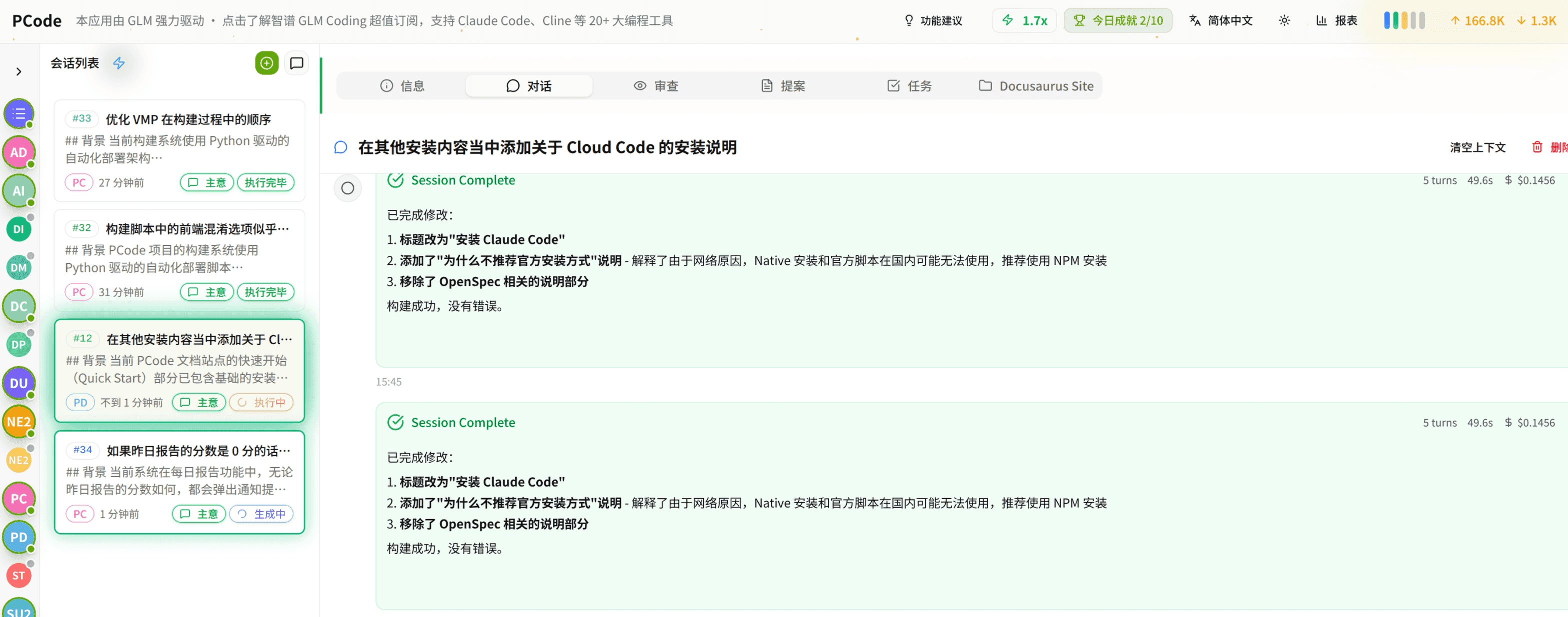
- SmartStructured workflows turn intent into an executable path from idea to shipped change.
- EfficientMulti-agent workflows keep research, implementation, and review moving in parallel.
- FunHero Dungeon interfaces make long coding sessions visual, collaborative, and rewarding.