Extending the Compression Pipeline
TL;DR: OmniRoute’s compression engine is pluggable — you can register custom engines, ship language packs for new languages, and compose stacked pipelines. This guide shows how.
Related guides:
- COMPRESSION_GUIDE.md — Full pipeline overview
- COMPRESSION_ENGINES.md — Engine registry and built-in engines
- RTK_COMPRESSION.md — RTK engine and custom filters
- COMPRESSION_RULES_FORMAT.md — Rule pack format reference
Overview
Section titled “Overview”The compression system has 3 extension points:
| Extension point | Use case | Difficulty |
|---|---|---|
| Custom engine | Add a brand-new compression algorithm (e.g., domain-specific summarizer) | Advanced |
| Language pack | Add support for a new natural language (e.g., Hindi, Arabic) | Medium |
| Stacked pipeline | Compose existing engines in a custom order | Beginner |
┌─────────────────────────────────────────────────────────────┐│                    Compression Strategy                      ││                                                              ││   Input messages ──▶ getEffectiveMode() ──▶ mode            ││                                              │               ││                      ┌───────────────────────┼──────────┐    ││                      │         │         │         │    │    ││                      ▼         ▼         ▼         ▼    │    ││                   "rtk"    "lite"   "standard" "stacked"    ││                      │         │         │         │    │    ││                      ▼         ▼         ▼         ▼    │    ││                   RTK       Lite     Caveman   engines[]   ││                   engine    engine   engine    chained     ││                      │         │         │         │    │    ││                      └─────────┴─────────┴─────────┘    │    ││                                      │                    ││                                      ▼                    ││                             Compressed output              │└─────────────────────────────────────────────────────────────┘
The strategy selector is MODE-BASED: each request selects ONE mode(rtk / lite / standard / aggressive / ultra / stacked / off).Only mode "stacked" chains multiple engines in sequence.Default auto-trigger mode is "lite" (not a 3-tier priority chain).
Writing a Custom Compression Engine
Section titled “Writing a Custom Compression Engine”The engine interface (open-sse/services/compression/engines/types.ts) is the contract every engine must satisfy. It has 5 required methods.
The CompressionEngine Interface
Section titled “The CompressionEngine Interface”interface CompressionEngine { id: string; // Unique engine ID name: string; // Display name description: string; // Short description icon: string; // Icon (emoji or URL) targets: CompressionEngineTarget[]; // ["messages", "tool_results", "code_blocks"] stackable: boolean; // Can be used in a stacked pipeline stackPriority: number; // Order in stacked pipelines (lower = earlier) metadata: CompressionEngineMetadata;
apply(body, options?): CompressionResult; compress(body, config?): CompressionResult; getConfigSchema(): EngineConfigField[]; validateConfig(config): EngineValidationResult;}Minimal Example: Whitespace Engine
Section titled “Minimal Example: Whitespace Engine”The simplest possible engine — strip extra whitespace from messages.
import type { CompressionEngine } from "omniroute/compression/engines/types";import { registerCompressionEngine } from "omniroute/compression/engines/registry";
function preserveCodeBlocks(text: string): string {  // Split by code block markers and preserve whitespace inside them  const parts = text.split(/(```[\s\S]*?```)/);  return parts    .map((part) => {      if (part.startsWith("```")) {        return part; // Don't modify code blocks      }      return part.replace(/\n{3,}/g, "\n\n"); // Only apply to prose    })    .join("");}
const whitespaceEngine: CompressionEngine = {  id: "whitespace",  name: "Whitespace Stripper",  description: "Removes extra whitespace and blank lines",  icon: "📝",  targets: ["messages", "tool_results"],  stackable: true,  stackPriority: 100, // Run AFTER caveman/rtk
  metadata: {    id: "whitespace",    name: "Whitespace Stripper",    description: "Removes extra whitespace and blank lines",    inputScope: "messages",    targetLatencyMs: 5,    supportsPreview: true,    stable: true,  },
  apply(body, options) {    return this.compress(body, options?.config);  },
  compress(body, config = {}) {    let originalLength = 0;    let compressedLength = 0;
    // Traverse message array — handle both string and multipart content    const compressedBody = (body.messages || []).map((msg) => {      if (typeof msg.content === "string") {        originalLength += msg.content.length;        let compressed = msg.content          .replace(/[ \t]+/g, " ")          .replace(/\n{3,}/g, "\n\n")          .replace(/^\s+|\s+$/gm, "");        compressedLength += compressed.length;        return { ...msg, content: compressed };      }      // Multipart content: traverse parts, compress text parts only      if (Array.isArray(msg.content)) {        const newParts = msg.content.map((part) => {          if (part.type === "text" && typeof part.text === "string") {            originalLength += part.text.length;            let compressed = part.text              .replace(/[ \t]+/g, " ")              .replace(/\n{3,}/g, "\n\n")              .replace(/^\s+|\s+$/gm, "");            compressedLength += compressed.length;            return { ...part, text: compressed };          }          return part; // preserve image_url, tool_use, etc.        });        return { ...msg, content: newParts };      }      return msg;    });
    return {      body: { ...body, messages: compressedBody },      stats: {        originalTokens: Math.ceil(originalLength / 4),        compressedTokens: Math.ceil(compressedLength / 4),        savingsPercent: originalLength > 0 ? 100 * (1 - compressedLength / originalLength) : 0,        techniques: ["whitespace-collapse"],        engineId: "whitespace",      },    };  },
  getConfigSchema() {    return [      {        key: "preserveCodeBlocks",        type: "boolean",        label: "Preserve code blocks",        defaultValue: true,        description: "Don't touch whitespace inside ```code``` blocks",      },    ];  },
  validateConfig(config) {    if (config.preserveCodeBlocks !== undefined && typeof config.preserveCodeBlocks !== "boolean") {      return { valid: false, errors: ["preserveCodeBlocks must be a boolean"] };    }    return { valid: true, errors: [] };  },};
// Register globallyregisterCompressionEngine(whitespaceEngine);
Where to Place Custom Engines
Section titled “Where to Place Custom Engines”~/.omniroute/compression/engines/my-engine.ts # User-level<project>/compression-engines/my-engine.ts # Project-level (loaded on startup)Or load programmatically from a plugin:
// In your pluginimport {  registerCompressionEngine,  unregisterCompressionEngine,} from "@omniroute/open-sse/services/compression/engines/registry";import { myEngine } from "./engines/my-engine";
export default definePlugin({  name: "my-compression-plugin",  // The plugin SDK exposes onRequest / onResponse / onError hooks. Register the  // engine when the plugin module loads (or on first onRequest); unregister it  // from your own teardown path.  onRequest: async (ctx) => {    registerCompressionEngine(myEngine);  },});
// On teardown:// unregisterCompressionEngine("my-engine");
Testing Your Engine
Section titled “Testing Your Engine”Register your engine in a plugin or startup function. Once registered, the engine will be available
in the strategy selector via its id. Test integration by composing it in a stacked pipeline:
Creating Language Packs
Section titled “Creating Language Packs”Caveman-style compression uses language-specific rule packs to handle fillers, hedging, and verbose patterns in each natural language. OmniRoute ships with 6 language packs: en, es, fr, de, ja, pt-BR.
Pack Structure
Section titled “Pack Structure”A language pack is a directory of JSON files under open-sse/services/compression/rules/<language>/:
open-sse/services/compression/rules/├── en/│ ├── filler.json # Pleasantries, hedging, politeness│ ├── context.json # Context-reducing rules│ ├── dedup.json # Deduplication rules│ ├── structural.json # Punctuation, formatting│ └── ultra.json # Aggressive compression rules├── es/ (same structure)├── fr/ (same structure)├── de/ (same structure)├── ja/ (same structure)└── pt-BR/ (same structure)Rule Anatomy
Section titled “Rule Anatomy”Each rule has this shape (from open-sse/services/compression/ruleLoader.ts):
interface FileRule { name: string; // Human-readable name (kebab-case) pattern: string; // JavaScript regex pattern replacement?: string; // What to replace the match with replacementMap?: Record<string, string>; // OR a key→replacement map flags?: string; // Regex flags ("gi" typically) context?: "all" | "user" | "system" | "assistant"; category?: "filler" | "context" | "structural" | "dedup" | "terse" | "ultra"; minIntensity?: "lite" | "full" | "ultra"; // Skip below this intensity description?: string; // Documentation}Example: Adding Hindi Filler Rules
Section titled “Example: Adding Hindi Filler Rules”{ "language": "hi", "category": "filler", "rules": [ { "name": "polite_opener", "pattern": "\\b(?:नमस्ते|नमस्कार|आदरणीय)\\b[,!\\s]*", "replacement": "", "context": "all", "category": "filler", "minIntensity": "lite", "description": "Strip polite openers like 'नमस्ते'" }, { "name": "filler_actually", "pattern": "\\b(?:असल में|वास्तव में|दरअसल)\\b\\s*", "replacement": "", "context": "all", "category": "filler", "minIntensity": "lite", "description": "Strip 'actually' fillers" }, { "name": "verbose_plea", "pattern": "\\b(?:कृपया|कृपया आप|अनुरोध है कि आप)\\b\\s*", "replacement": "", "context": "all", "category": "filler", "minIntensity": "full", "description": "Strip 'please' in Hindi" } ]}Validation
Section titled “Validation”Rule packs are validated against _schema.json on load. A pack with bad structure will fail to load and log an error:
RULE_LOADER: pack "hi/filler.json" failed validation: - rules.0.pattern: Invalid regex - rules.1.context: must be one of [all, user, system, assistant]Validation runs automatically when a pack is loaded (against _schema.json); an
invalid pack is rejected and the error above is logged. There is no separate
npm run script for pack validation — load the pack (e.g. start the server or
exercise the compression path) and watch the logs.
Loading a Custom Language Pack
Section titled “Loading a Custom Language Pack”import { loadRulePack } from "omniroute/compression/ruleLoader";
await loadRulePack("./my-custom-rules/hi/filler.json");Or place in a recognized location:
~/.omniroute/compression/rules/hi/filler.json # User-level<project>/.compression/rules/hi/filler.json # Project-levelBest Practices for Language Packs
Section titled “Best Practices for Language Packs”- Start with
filler— these are the highest-impact rules - Use
minIntensityto gate aggressive rules — protects against over-compression - Include test cases — add
tests[]array in the JSON to verify behavior - Order matters — earlier rules apply first; place high-impact rules first
- Be conservative with
replacement— empty string is usually correct; never introduce new content
Translation Strategy
Section titled “Translation Strategy”When localizing rule packs to a new language:
- Translate the rule names — they appear in debug output
- Adapt the regex patterns — direct translation often fails (word boundaries differ)
- Test against real conversations — the pack should be safe on actual input
- Match cultural conventions — Japanese packs, for instance, have more honorific fillers than English
Stacked Pipelines
Section titled “Stacked Pipelines”A stacked pipeline runs multiple engines in sequence, with each engine’s output feeding the next. This is how mode: stacked works internally.
How Stacking Works
Section titled “How Stacking Works”Input (10,000 tokens) │ ▼ ┌──────────┐ │ Engine │ priority 10 │ A │ ──▶ output: 6,000 tokens (-40%) └────┬─────┘ ▼ ┌──────────┐ │ Engine │ priority 50 │ B │ ──▶ output: 2,400 tokens (-60%) └────┬─────┘ ▼ ┌──────────┐ │ Engine │ priority 100 │ C │ ──▶ output: 1,200 tokens (-80%) └────┬─────┘ │ ▼Final output (1,200 tokens, ~88% savings combined)When mode: "stacked" is selected, engines execute sequentially in the order specified in the pipeline array.
The output of engine N becomes the input of engine N+1.
Compression Modes
Section titled “Compression Modes”OmniRoute selects ONE mode per request based on configuration, auto-trigger thresholds, and combo overrides.
The available modes are defined in open-sse/services/compression/types.ts (type CompressionMode):
| Mode | Engines | Use case |
|---|---|---|
off |
None | Disable all compression |
rtk |
RTK only | Command-output heavy sessions (80%+ savings) |
lite |
Lite only | Conservative compression (fast, safe) |
standard |
Caveman | Prose compression with language packs |
aggressive |
Caveman + Aggressive | Aggressive prose + aggressive final pass |
ultra |
Ultra | Maximum compression (lossy, last resort). Optionally routed through the LLMLingua-2 SLM engine when ultra.modelPath is set (fail-opens to the rule-based path when the model is unavailable). |
stacked |
Custom pipeline | Compose engines in any order (see below) |
Beyond the mode engines above, the registry also ships specialized stackable engines — CCR, headroom, ionizer, and session-dedup — documented in COMPRESSION_ENGINES.md.
Mode selection is determined by getEffectiveMode() in open-sse/services/compression/strategySelector.ts:
- If compression is disabled:
"off" - If a combo override exists: use the override
- If auto-trigger threshold is exceeded: use
autoTriggerMode(default:"lite") - Otherwise: use
defaultMode
The Default Stacked Pipeline
Section titled “The Default Stacked Pipeline”When mode: "stacked" is explicitly configured, the default pipeline composes:
- RTK — strip command output noise (~80% savings on terminal output)
- Caveman — remove fillers, terse-ify prose (~46% on remaining text)
- Lite — final whitespace + dedup pass
This composition achieves 78-95% savings on tool-heavy sessions.
Configuring Stacked Pipelines
Section titled “Configuring Stacked Pipelines”In combo config:
{ "compression": { "mode": "stacked", "pipeline": [ { "engine": "rtk", "config": { "intensity": "aggressive" } }, { "engine": "caveman", "config": { "intensity": "full" } }, { "engine": "lite", "config": {} } ] }}You can omit engines, add custom ones, or reorder them.
State Passing
Section titled “State Passing”Engines can read metadata from the request context (in options):
compress(body, config) { // Read metadata from previous engines const original = options?.compressionComboId; // "my-coding-combo" // ...}The metadata is read-only — engines cannot mutate the request context, only their own body output.
Execution Order Gotchas
Section titled “Execution Order Gotchas”| Engine order | Effect |
|---|---|
| RTK → Caveman → Lite | Recommended (strips noise first, then language, then whitespace) |
| Lite → RTK → Caveman | Bad — Lite strips whitespace from raw output, making RTK pattern matching fail |
| Caveman → RTK | Bad — Caveman may rewrite text in ways that RTK doesn’t recognize |
Any order with tool_results first |
Better — tool output is the noisiest content |
When NOT to Stack
Section titled “When NOT to Stack”Stacking isn’t always better:
- Simple messages (no tool output) — single Caveman or Lite is enough
- Cost-sensitive — each engine adds ~5-50ms latency
- Specific tools — RTK alone is usually sufficient for shell output
Building a Custom Pipeline
Section titled “Building a Custom Pipeline”There is no named-pipeline registry. A stacked pipeline is just an inline array
of steps passed to applyStackedCompression() (exported from
@omniroute/open-sse/services/compression/strategySelector):
import { applyStackedCompression } from "@omniroute/open-sse/services/compression/strategySelector";
const result = applyStackedCompression(body, [  { engine: "rtk", intensity: "aggressive" },  { engine: "caveman", intensity: "full" },]);
When you don’t pass a pipeline, it defaults to rtk(standard) → caveman(full).
To drive it from config, set mode: "stacked" and provide the step array under
stackedPipeline (read from config.stackedPipeline):
{ "compression": { "mode": "stacked", "stackedPipeline": [ { "engine": "rtk", "intensity": "aggressive" }, { "engine": "caveman", "intensity": "full" } ] }}Upstream Sync Policy
Section titled “Upstream Sync Policy”OmniRoute’s compression engines credit several upstream projects in the README (“inspired by RTK, Caveman, LLMLingua-2, Troglodita”). A common contributor question is: when upstream RTK adds a new tool filter or Caveman adds a rule pack, how does that reach OmniRoute? This section is the authoritative answer.
Vendored copies vs. independent implementations
Section titled “Vendored copies vs. independent implementations”| Engine | Relationship to upstream | Location |
|---|---|---|
| RTK | Independent reimplementation (inspired-by, not a copy) | open-sse/services/compression/engines/rtk/ |
| Caveman | Independent reimplementation (inspired-by) | open-sse/services/compression/engines/cavemanAdapter.ts |
| Headroom | Mostly internal; only the gcf/ codec is genuinely vendored from gcf-typescript (MIT, SPDX-marked, generic profile only) |
open-sse/services/compression/engines/headroom/gcf/ |
| LLMLingua-2 / Troglodita | Inspired-by (drive the llmlingua + session-dedup engines) |
open-sse/services/compression/engines/llmlingua/, session-dedup |
Key point: RTK and Caveman are clean-room TypeScript implementations of the
ideas (filter rules, rule packs), not vendored source trees. There is no
upstream copy to git pull from — which is exactly why the README says
“inspired by” rather than “bundled”.
How upstream improvements are merged
Section titled “How upstream improvements are merged”There is no automated upstream-release tracking and no compression-sync
label — by design. Because the engines are reimplementations, an upstream RTK
filter or Caveman rule pack is not merged as code; it is re-expressed as a new
rule/filter in OmniRoute’s own format (see
COMPRESSION_RULES_FORMAT.md) and lands ad-hoc via
a normal PR. The extension points above (custom engine, language pack, RTK filter)
are the sanctioned way to contribute one.
Recent examples of exactly this flow:
- RTK filters for Gradle &
dotnetbuild output (v3.8.42) - RTK filters for kubectl / docker-build / composer / gh (#2824)
- Caveman Indonesian language pack (#3975), plus German / French / Japanese / Chinese packs
Headroom (input-compression proxy)
Section titled “Headroom (input-compression proxy)”Headroom is fully internal — a pinned vendored gcf codec snapshot plus
OmniRoute’s own smartcrusher / toon / tabular layers. There is no live
upstream to track beyond the vendored copy; updates to gcf are refreshed
manually when the codec changes and re-validated against the compression budget
gate (check:compression-budget).
Proposing an upstream-inspired improvement
Section titled “Proposing an upstream-inspired improvement”- Don’t vendor — re-express the upstream rule/filter in OmniRoute’s format.
- Add it via the matching extension point below (language pack, RTK filter, or custom engine).
- Reference the upstream project in the PR description (attribution), not by copying its license-bearing source.
- Include tests and confirm the
check:compression-budgetgate still passes.
Adding an Output Style
Section titled “Adding an Output Style”Output styles (see the guide’s catalog table)
are the response-side counterpart of the input engines: instead of compressing what you
send, they instruct the model to produce cheaper output. The registry is
OUTPUT_STYLE_CATALOG in open-sse/services/compression/outputStyles/catalog.ts, and
one catalog entry is the entire feature: the injector, the dashboard settings panel,
persistence and telemetry all enumerate the catalog — there is no other list to update.
- Add one entry to
OUTPUT_STYLE_CATALOGwithid,label,descriptionand the three Englishlevels(lite,full,ultra). Every level must end with${SHARED_BOUNDARIES}so code, paths, commands, errors and URLs stay verbatim. The instruction text must be static and deterministic per(id, level, language)—${SHARED_BOUNDARIES}is the only interpolation allowed. - Translate it. Ship at least a
pt-BRblock underi18n;ponytailandi-have-adhd(en, pt-BR, es, de, fr, it, ru, zh, ja, id, vi) are the reference shape. A deliberately single-language style setslocaleinstead (liketerse-cjk→zh) and is then only offered under that locale. - Update the matrix guard — add the style’s languages to
BASELINE_LANGUAGESintests/unit/compression/output-styles-i18n-matrix.test.ts. The gate fails any new non-locale-gated style without the required translations unless it carries an explicitKNOWN_ENGLISH_ONLYentry with a tracking issue. - Add a per-style test modeled on
tests/unit/compression/i-have-adhd-catalog.test.ts: catalog shape, boundaries clause per level, and an anchor asserting each translation is written in its own language rather than copied English. - Attribution: if the style is adapted from an upstream project, credit it in a
source comment on the entry (e.g.
i-have-adhd→ ayghri/i-have-adhd, MIT) — same rule as “Proposing an upstream-inspired improvement” above.
No UI, schema or telemetry change is needed — those surfaces render from the catalog.
Best Practices
Section titled “Best Practices”Engine Development
Section titled “Engine Development”- Always implement
validateConfig— engines without validation cause silent failures - Set realistic
targetLatencyMs— used by the strategy selector to choose engines - Use
getConfigSchemafor the dashboard — never hide config from users - Support
stackable: trueif your engine is pure — engines with side effects shouldn’t stack - Write inline tests — engines should be verifiable in <1s
Language Pack Development
Section titled “Language Pack Development”- Start with
liteintensity — your rules should be safe at the lowest setting - Use
contextto scope rules —useronly rules can’t accidentally affect system prompts - Avoid capturing JSON keys —
\\bword\\bcan match inside JSON, breaking structured data - Test with edge cases — empty input, unicode, RTL text, emojis
- Use existing packs as templates —
en/filler.jsonis the most-developed example
Pipeline Design
Section titled “Pipeline Design”- Profile before optimizing — measure with
compression_statsfirst - Prefer composition over reimplementation — extend Caveman rules before writing a new engine
- Document the order rationale — comment why engine A before engine B
- Test at all 3 intensity levels —
liteis fast but lossy,ultrais slow but precise
Reference: Built-in Engines
Section titled “Reference: Built-in Engines”| Engine ID | Stackable | Default stackPriority | Targets |
|---|---|---|---|
lite |
Yes | 5 | messages, tool_results |
rtk |
Yes | 10 | tool_results |
standard (caveman) |
Yes | 20 | messages, tool_results, code_blocks |
aggressive |
Yes | 30 | messages |
ultra |
Yes | 40 | messages, code_blocks |
See Also
Section titled “See Also”- COMPRESSION_GUIDE.md — Pipeline overview
- COMPRESSION_ENGINES.md — Engine registry reference
- COMPRESSION_RULES_FORMAT.md — Rule format spec
- COMPRESSION_LANGUAGE_PACKS.md — Language pack details
- RTK_COMPRESSION.md — RTK engine and custom filters
- Source:
open-sse/services/compression/(117 files, ~250KB)
HagiCode
HagiCode is an agentic coding workspace: structured workflows, multi-agent execution, and Hero Dungeon views turn ideas into shipped software.
Turn ideas into polished, usable software with a smarter, faster, and more enjoyable agentic coding workflow.
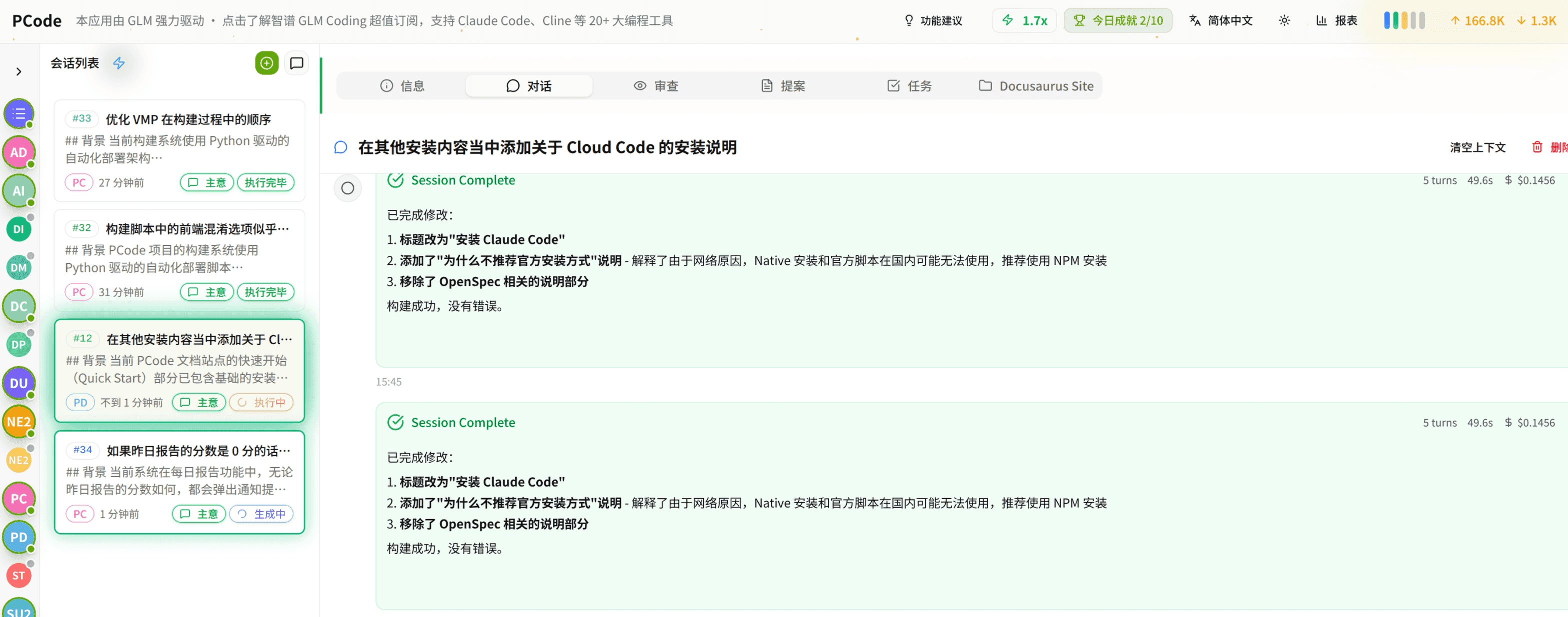
- SmartStructured workflows turn intent into an executable path from idea to shipped change.
- EfficientMulti-agent workflows keep research, implementation, and review moving in parallel.
- FunHero Dungeon interfaces make long coding sessions visual, collaborative, and rewarding.