CLI Tools — OmniRoute
Last updated: 2026-08-23
OmniRoute integrates with three categories of CLI tools spread across three dedicated dashboard pages:
| Page | Route | Concept | Count |
|---|---|---|---|
| CLI Code’s | /dashboard/cli-code |
Coding tools you point at OmniRoute (Client → CLI → OmniRoute → Provider) | 26 |
| CLI Agents | /dashboard/cli-agents |
Autonomous agents you point at OmniRoute (same flow, broader scope) | 10 |
| ACP Agents | /dashboard/acp-agents |
CLIs that OmniRoute spawns as backend via stdio/ACP (reverse flow) | see registry |
Legacy routes redirect via 308: /dashboard/cli-tools → /dashboard/cli-code, /dashboard/agents → /dashboard/acp-agents.
How It Works
Section titled “How It Works”CLI Code's / CLI Agents (consumption flow):Claude / Codex / OpenCode / Cline / KiloCode / Continue / Hermes Agent / Goose / ... │ ▼ (all point to OmniRoute) http://YOUR_SERVER:20128/v1 │ ▼ (OmniRoute routes to the right provider) Anthropic / OpenAI / Gemini / DeepSeek / Groq / Mistral / ...
ACP Agents (reverse spawn flow): Client request → OmniRoute → spawns CLI via stdio/ACP → responseBenefits:
- One API key to manage all tools
- Cost tracking across all CLIs in the dashboard
- Model switching without reconfiguring every tool
- Works locally and on remote servers (VPS, Docker, Akamai, Cloudflare Tunnel)
Auto-configure with setup-*
Section titled “Auto-configure with setup-*”You do not have to write each tool’s config by hand. OmniRoute ships a setup-*
command per supported CLI that reads the live model catalog from a running
OmniRoute (local or remote) and writes the tool’s own config on your machine:
omniroute setup-codex omniroute setup-claude omniroute setup-opencodeomniroute setup-cline omniroute setup-kilo omniroute setup-continueomniroute setup-cursor omniroute setup-roo omniroute setup-crushomniroute setup-goose omniroute setup-qwen omniroute setup-aideromniroute setup-5diveEach accepts --remote <url> --api-key <key> (configure a local tool against a
remote OmniRoute), --dry-run (preview without writing), and --port. Tools
without model auto-discovery (Cline, Kilo, Roo, Goose, Aider, Qwen, 5dive) take
--model <id> (and --yes for non-interactive runs). setup-5dive is the one
recipe that does not write under $HOME: it configures a 5dive agent fleet by
writing a root-owned auth profile on the fleet host, so it re-execs through sudo
and has no remote mode of its own. To launch a CLI with the
right env injected and no config written at all, use the generic
omniroute run <target> launcher (claude, codex, aider, goose, opencode, qwen,
gemini — targets and aliases come from bin/cli/cli-manifest.mjs); the legacy
per-tool launchers omniroute launch (Claude Code) and omniroute launch-codex
(Codex) remain available. Gemini CLI is launch-only: it is an omniroute run
target but has no setup-*/configure recipe.
Full reference: the master table — what each command writes, every flag, local vs remote, and which tools want a
/v1suffix — lives in CLI Integrations.
Running these inside a container
Section titled “Running these inside a container”A setup-* command executed inside the OmniRoute container writes into the
container’s own home, which no host CLI reads and which disappears with the
container. OmniRoute detects that and exits 2 with instructions rather than
writing. Two supported ways forward — install the CLI on the host and
omniroute connect to the container, or bind-mount the config dirs and set
CLI_CONFIG_HOME (the compose host profile). Every setup-* command, plus
omniroute configure and omniroute config set, accepts
--allow-container-write when configuring the container’s own CLIs is what you
actually meant; OMNIROUTE_ALLOW_CONTAINER_CONFIG_WRITE=true does the same for
the server. See
Docker Guide → Configuring host CLI tools.
The dashboard’s apply endpoint (POST /api/cli-tools/apply) enforces the
same guard: in a container, a write whose target is not bind-mounted from the
host answers 422 with containerEphemeralTarget: true, the safe error
text and — for the tools with a host recipe (claude, codex, opencode, cline,
kilo, continue) — a hostSetupCommand (e.g. omniroute setup-opencode) to run
on the host instead; nothing is written. dryRun: true keeps working in container
mode and returns a redacted preview + target path without touching disk. Preview
content is not a credential-bearing configuration to copy or import. Apply with
the original tool/base URL/API key/model inputs on the host, or use the indicated
host-side setup command. See CLI configuration security
for the preview header and request contract. This behavior is
intentional and regression-guarded by
tests/unit/api/cli-tools/apply-container-guard.test.ts — never “fix” a 422
by removing the guard.
Source of Truth
Section titled “Source of Truth”The unified catalog lives in src/shared/constants/cliTools.ts as CLI_TOOLS: Record<string, CliCatalogEntry>.
Each entry has these fields (defined in src/shared/schemas/cliCatalog.ts):
| Field | Type | Description |
|---|---|---|
category |
"code" | "agent" |
Which page the tool appears on |
vendor |
string |
Tool origin (“Anthropic”, “OSS (P. Gauthier)”) |
acpSpawnable |
boolean |
Also usable as an ACP Agent (badge shown) |
baseUrlSupport |
"full" | "partial" | "none" |
Custom endpoint support level. "none" = MITM backlog |
configType |
"env" | "custom" | "guide" | "custom-builder" | "mitm" |
Configuration mechanism |
id, name, color, description, docsUrl |
standard | Core display fields |
Entries with baseUrlSupport: "none" are not shown in the dashboard pages — they are registered in the MITM backlog for plan 11 (see _tasks/features-v3.8.6/refactorpages/_orchestration/_plan11-mitm-backlog.md).
Capability tiers (cataloged × detectable × configurable × launchable)
Section titled “Capability tiers (cataloged × detectable × configurable × launchable)”Not every cataloged tool is detectable, configurable or launchable. Each tier has one declaring source, and a drift test keeps them aligned:
| Tier | Meaning | Declared in |
|---|---|---|
| Cataloged | Appears in the dashboard catalog (name, vendor, docs, config type) | src/shared/constants/cliTools.ts (CLI_TOOLS) |
| Detectable | Binary/config detection, health checks, config paths | src/shared/services/cliRuntime.ts (CLI_TOOLS runtime catalog) |
| Configurable | Supported by omniroute configure <cli> (setup recipe exists) |
bin/cli/cli-manifest.mjs (configure: true) |
| Launchable | Supported by omniroute run <target> (env/args injection defined) |
bin/cli/cli-manifest.mjs (run: true) |
bin/cli/cli-manifest.mjs is the canonical executable manifest for the CLI command
surfaces: run, configure and the shell-completion generators all derive their
target lists, alias resolution (for example kilocode/kilo-code/kilo_cli → kilo)
and --model flag wiring from it. The drift guard
tests/unit/cli/cli-manifest-drift.test.ts asserts that the manifest, the runtime
catalog, the UI catalog and every consumer surface stay in sync — a target added to
one surface without the others fails the suite instead of drifting silently.
1. CLI Code’s Catalog (26 tools)
Section titled “1. CLI Code’s Catalog (26 tools)”All tools that appear in /dashboard/cli-code. Those with baseUrlSupport: none are wired through MITM or a manual guide instead of a custom base URL:
| id | name | vendor | baseUrlSupport | configType | acpSpawnable |
|---|---|---|---|---|---|
| claude | Claude Code | Anthropic | full | env | true |
| codex | OpenAI Codex CLI | OpenAI | full | custom | true |
| zcode | ZCode (GLM Coding Plan) | Z.ai | none | custom | false |
| cline | Cline | OSS (ex-Claude Dev) | full | custom | true |
| kilo | Kilo Code | Kilo-Org | full | custom | false |
| roo | Roo Code | Roo (OSS) | full | guide | false |
| continue | Continue | continue.dev | full | guide | false |
| aider | Aider | OSS (P. Gauthier) | full | guide | true |
| forge | ForgeCode | Antinomy HQ | full | custom | true |
| jcode | jcode | 1jehuang (OSS) | full | custom | false |
| deepseek-tui | DeepSeek TUI | Hunter Bown (OSS) | full | custom | false |
| codewhale | CodeWhale | Hmbown (OSS) | full | custom | false |
| opencode | OpenCode | Anomaly (ex-SST) | full | guide | true |
| droid | Factory Droid | Factory AI | partial | guide | false |
| copilot | GitHub Copilot CLI | GitHub/MS | full | custom | false |
| cursor-cli | Cursor CLI | Anysphere | partial | guide | true |
| smelt | Smelt | leonardcser (OSS) | full | custom | false |
| pi | Pi (pi-coding-agent) | M. Zechner (OSS) | full | custom | false |
| grok-build | Grok Build | xAI | full | custom | false |
| crush | Crush | OSS (Charm) | full | custom | false |
| qwen | Qwen Code | Alibaba | full | guide | true |
| cursor | Cursor | Anysphere | none | guide | false |
| antigravity | Antigravity | none | mitm | false | |
| hermes | Hermes | Nous Research | none | guide | false |
| kiro | Kiro AI | Amazon | none | mitm | false |
| custom | Custom CLI | — | full | custom-builder | false |
Tools with baseUrlSupport: "partial" show a badge “⚠ Base URL parcial” in the dashboard card.
Section titled “Tools with baseUrlSupport: "partial" show a badge “⚠ Base URL parcial” in the dashboard card.”2. CLI Agents Catalog (10 tools)
Section titled “2. CLI Agents Catalog (10 tools)”Autonomous agents that appear in /dashboard/cli-agents:
| id | name | vendor | baseUrlSupport | acpSpawnable |
|---|---|---|---|---|
| hermes-agent | Hermes Agent | Nous Research | full | false |
| openclaw | OpenClaw | OSS (P. Steinberger) | full | true |
| goose | Goose | Block / Linux Foundation | full | true |
| interpreter | Open Interpreter | OSS | full | true |
| warp | Warp AI | Warp Inc. | partial | true |
| agent-deck | Agent Deck | asheshgoplani (OSS) | full | false |
| omp | Oh My Pi | OSS | full | true |
| letta | Letta CLI | Letta | full | false |
| prime-agent | Prime Agent | Prime Intellect (OSS) | full | false |
| 5dive | 5dive | OSS (5dive-ai) | full | false |
3. ACP Agents (/dashboard/acp-agents)
Section titled “3. ACP Agents (/dashboard/acp-agents)”This page (renamed from /dashboard/agents) shows CLIs that OmniRoute can spawn as backend execution engines via stdio/ACP protocol. The catalog is maintained separately in src/lib/acp/registry.ts and is not the same as CLI_TOOLS.
4. MITM Backlog (not shown in dashboard)
Section titled “4. MITM Backlog (not shown in dashboard)”The following CLIs do not support custom base URL natively and are not listed in CLI Code’s or CLI Agents pages. They are candidates for MITM interception in plan 11:
| CLI | Reason |
|---|---|
| windsurf | BYOK limited to select Claude models + corporate URL/token |
| amp | Closed ecosystem (Sourcegraph) |
| amazon-q / kiro-cli | AWS SSO auth, no custom URL |
| cowork | Anthropic Desktop, no configurable endpoint |
See _tasks/features-v3.8.6/refactorpages/_orchestration/_plan11-mitm-backlog.md for the full cross-reference.
5. Batch Detection API
Section titled “5. Batch Detection API”All tool detection is aggregated via a single endpoint:
GET /api/cli-tools/all-statuses
- Auth:
requireCliToolsAuth(request)(same as other/api/cli-tools/routes) - Returns:
Record<toolId, ToolBatchStatus>(type:src/shared/types/cliBatchStatus.ts) - Strategy:
Promise.allover all tools, 5s timeout per tool - Cache: in-memory LRU indexed by config file
mtime. Cache invalidated when mtime changes. Reset on server restart.
Response shape per tool:
interface ToolBatchStatus { detection: { installed: boolean; runnable: boolean; version?: string; command?: string; commandPath?: string; reason?: string; }; config: { status: "configured" | "not_configured" | "not_installed" | "unknown" | "other"; endpoint?: string | null; lastConfiguredAt?: string | null; }; error?: string; // sanitized, no stack traces}6. Settings Handlers for New Tools
Section titled “6. Settings Handlers for New Tools”New tools with configType: "custom" have dedicated settings API routes:
| Route | Tool |
|---|---|
POST /api/cli-tools/forge-settings |
ForgeCode (.forge.toml) |
POST /api/cli-tools/jcode-settings |
jcode (–base-url flag) |
POST /api/cli-tools/deepseek-tui-settings |
DeepSeek TUI (OPENAI_BASE_URL, legacy) |
POST /api/cli-tools/codewhale-settings |
CodeWhale (OPENAI_BASE_URL, primary + legacy ~/.deepseek sync) |
POST /api/cli-tools/smelt-settings |
Smelt |
POST /api/cli-tools/pi-settings |
Pi coding agent |
POST /api/cli-tools/grok-build-settings |
Grok Build (~/.grok/config.toml, [model.omniroute]) |
POST /api/cli-tools/qwen-settings |
Qwen Code (~/.qwen/settings.json + dedicated .env key) |
All routes use sanitizeErrorMessage() for error responses (Hard Rule #12).
7. Dashboard Pages Architecture
Section titled “7. Dashboard Pages Architecture”CLI Code’s (/dashboard/cli-code)
Section titled “CLI Code’s (/dashboard/cli-code)”src/app/(dashboard)/dashboard/cli-code/page.tsx— server componentsrc/app/(dashboard)/dashboard/cli-code/CliCodePageClient.tsx— client gridsrc/app/(dashboard)/dashboard/cli-code/[id]/page.tsx— tool detail pagesrc/app/(dashboard)/dashboard/cli-code/components/— 12 specialized tool cards +ToolDetailClient.tsx
CLI Agents (/dashboard/cli-agents)
Section titled “CLI Agents (/dashboard/cli-agents)”src/app/(dashboard)/dashboard/cli-agents/page.tsx— server componentsrc/app/(dashboard)/dashboard/cli-agents/CliAgentsPageClient.tsx— client gridsrc/app/(dashboard)/dashboard/cli-agents/[id]/page.tsx— reusesToolDetailClient
ACP Agents (/dashboard/acp-agents)
Section titled “ACP Agents (/dashboard/acp-agents)”src/app/(dashboard)/dashboard/acp-agents/page.tsx— server component (moved fromagents/)
Shared UI Components (src/shared/components/cli/)
Section titled “Shared UI Components (src/shared/components/cli/)”| File | Purpose |
|---|---|
CliToolCard.tsx |
Smart status card (detection + config + endpoint) |
CliConceptCard.tsx |
Per-page concept explanation card |
CliComparisonCard.tsx |
Three-column comparison across CLI types |
BaseUrlSelect.tsx |
Endpoint dropdown (Local/Cloud/Custom) |
ApiKeySelect.tsx |
API key selector |
ManualConfigModal.tsx |
Copiable config snippet modal |
Shared Hook (src/shared/hooks/cli/)
Section titled “Shared Hook (src/shared/hooks/cli/)”| File | Purpose |
|---|---|
useToolBatchStatuses.ts |
Fetches /api/cli-tools/all-statuses, manages loading/refresh state |
8. i18n
Section titled “8. i18n”New namespaces added in plan 14 F9:
| Namespace | Purpose |
|---|---|
cliCommon |
Shared strings (card labels, concept/comparison texts, detail page labels) |
cliCode |
CLI Code’s page strings |
cliAgents |
CLI Agents page strings |
acpAgents |
ACP Agents page strings |
Full PT-BR and EN translations are provided. 39 other locales fall back to EN automatically via namespace-level merge in src/i18n/request.ts.
9. Quick Start
Section titled “9. Quick Start”Step 1 — Get an OmniRoute API Key
Section titled “Step 1 — Get an OmniRoute API Key”- Open
/dashboard/api-manager→ Create API Key - Give it a name (e.g.
cli-tools) and select all permissions - Copy the key — you’ll need it for every CLI below
Your key looks like:
sk-xxxxxxxxxxxxxxxx-xxxxxxxxx
Step 2 — Install CLI Tools
Section titled “Step 2 — Install CLI Tools”All npm-based tools require Node.js 22.22.2+ or 24.x:
# Claude Code (Anthropic)npm install -g @anthropic-ai/claude-code
# OpenAI Codexnpm install -g @openai/codex
# OpenCodenpm install -g opencode-ai
# Clinenpm install -g cline
# KiloCodenpm install -g kilocode
# Qwen Codenpm install -g @qwen-code/qwen-code
# Google Gemini CLI (launchable via `omniroute run gemini` → /v1beta surface)npm install -g @google/gemini-cli
# Aiderpip install aider-chat
# Smeltcargo install smelt  # Rust-based
# Pi coding agent# see https://github.com/zechnerj/pi-coding-agent for install
# jcode# see https://github.com/1jehuang/jcode for install
Step 3 — Configure via Dashboard
Section titled “Step 3 — Configure via Dashboard”- Go to
http://localhost:20128/dashboard/cli-code - Find your tool in the grid
- Click the card to open the tool detail page
- Select your API key and base URL
- Click Apply Config or copy the manual config snippet
Step 4 — Set Global Environment Variables
Section titled “Step 4 — Set Global Environment Variables”# OmniRoute Universal Endpointexport OPENAI_BASE_URL="http://localhost:20128/v1"export OPENAI_API_KEY="sk-your-omniroute-key"export ANTHROPIC_BASE_URL="http://localhost:20128"export ANTHROPIC_AUTH_TOKEN="sk-your-omniroute-key"# Gemini CLI reads GOOGLE_GEMINI_BASE_URL at the ROOT (its SDK appends /v1beta/... itself)export GOOGLE_GEMINI_BASE_URL="http://localhost:20128"export GEMINI_API_KEY="sk-your-omniroute-key"For a remote server replace
localhost:20128with the server IP or domain, e.g.http://<your-server-ip>:20128.
Step 4 — Configure Each Tool
Section titled “Step 4 — Configure Each Tool”Claude Code
Section titled “Claude Code”# Create ~/.claude/settings.json:mkdir -p ~/.claude && cat > ~/.claude/settings.json << EOF{ "env": { "ANTHROPIC_BASE_URL": "http://localhost:20128", "ANTHROPIC_AUTH_TOKEN": "sk-your-omniroute-key" }}EOFUse the unified Anthropic gateway root for Claude Code. Do not append /v1 here.
Test: claude "say hello"
OpenAI Codex
Section titled “OpenAI Codex”Modern Codex (v0.137+) reads ~/.codex/config.toml only — the old
config.yaml belongs to the legacy npm CLI and is silently ignored. The API
key stays in the OMNIROUTE_API_KEY environment variable (env_key), never
inside the file:
mkdir -p ~/.codex && cat > ~/.codex/config.toml << EOFmodel_provider = "omniroute"
[model_providers.omniroute]name                 = "OmniRoute"base_url             = "http://localhost:20128/v1"env_key              = "OMNIROUTE_API_KEY"requires_openai_auth = falseEOFexport OMNIROUTE_API_KEY="sk-your-omniroute-key"
Full reference (profiles, wire_api, context windows): CODEX-CLI-CONFIGURATION.md.
Test: codex "what is 2+2?"
OpenCode
Section titled “OpenCode”mkdir -p ~/.config/opencode && cat > ~/.config/opencode/opencode.json << EOF{ "\$schema": "https://opencode.ai/config.json", "provider": { "omniroute": { "npm": "@ai-sdk/openai-compatible", "name": "OmniRoute", "options": { "baseURL": "http://localhost:20128/v1", "apiKey": "sk-your-omniroute-key" }, "models": { "claude-sonnet-4-5": { "name": "claude-sonnet-4-5" }, "claude-sonnet-4-5-thinking": { "name": "claude-sonnet-4-5-thinking" }, "gemini-3-flash": { "name": "gemini-3-flash" } } } }}EOFTest: opencode
Use
opencode run "your prompt" --model omniroute/claude-sonnet-4-5-thinking --variant highto send thinking variants.
Cline (CLI or VS Code)
Section titled “Cline (CLI or VS Code)”CLI mode:
mkdir -p ~/.cline/data && cat > ~/.cline/data/globalState.json << EOF{ "apiProvider": "openai", "openAiBaseUrl": "http://localhost:20128/v1", "openAiApiKey": "sk-your-omniroute-key"}EOFVS Code mode:
Cline extension settings → API Provider: OpenAI Compatible → Base URL: http://localhost:20128/v1
Or use the OmniRoute dashboard → CLI Tools → Cline → Apply Config.
KiloCode (CLI or VS Code)
Section titled “KiloCode (CLI or VS Code)”CLI mode:
kilocode --api-base http://localhost:20128/v1 --api-key sk-your-omniroute-keyVS Code settings:
{ "kilo-code.openAiBaseUrl": "http://localhost:20128/v1", "kilo-code.apiKey": "sk-your-omniroute-key"}Or use the OmniRoute dashboard → CLI Tools → KiloCode → Apply Config.
Continue (VS Code Extension)
Section titled “Continue (VS Code Extension)”Edit ~/.continue/config.yaml:
models: - name: OmniRoute provider: openai model: auto apiBase: http://localhost:20128/v1 apiKey: sk-your-omniroute-key default: trueRestart VS Code after editing.
VS Code Insiders (chatLanguageModels.json)
Section titled “VS Code Insiders (chatLanguageModels.json)”Use this when VS Code Insiders is configured for custom endpoint models and you want OmniRoute to work without a custom header field.
Recommended location:
- Linux:
~/.config/Code - Insiders/User/chatLanguageModels.json - Windows:
%APPDATA%/Code - Insiders/User/chatLanguageModels.json
Example using the tokenized OmniRoute alias:
[ { "vendor": "customendpoint", "id": "auto", "name": "OmniRoute Auto", "family": "gpt-4", "version": "1.0.0", "url": "http://localhost:20128/api/v1/vscode/sk-your-omniroute-key/chat/completions", "modelsUrl": "http://localhost:20128/api/v1/vscode/sk-your-omniroute-key/models", "requestFormat": "openai-chat-completions", "contextWindow": 256000, "maxOutputTokens": 32768, "auth": { "type": "none" } }]Notes:
- Replace
sk-your-omniroute-keywith an API key created in OmniRoute. - The
urlfield should point to/api/v1/vscode/{token}/chat/completions. - The
modelsUrlfield should point to/api/v1/vscode/{token}/models. - Prefer the normal
/v1+ Bearer header flow when the client supports custom headers. - URL-embedded tokens are a compatibility fallback and may appear in editor logs or proxy history.
Kiro CLI (Amazon)
Section titled “Kiro CLI (Amazon)”# Login to your AWS/Kiro account:kiro-cli login
# The CLI uses its own auth — OmniRoute is not needed as backend for Kiro CLI itself.# Use kiro-cli alongside OmniRoute for other tools.kiro-cli statusFor the Kiro IDE desktop app, use the MITM endpoint exposed by OmniRoute
under /dashboard/cli-tools → Kiro.
10. Internal OmniRoute CLI
Section titled “10. Internal OmniRoute CLI”The omniroute binary provides commands for server lifecycle, setup, diagnostics, and provider management. Entry point: bin/omniroute.mjs.
omniroute # Start server (default port 20128)omniroute setup # Interactive setup wizardomniroute doctor # Check config, DB, ports, runtimeomniroute providers list # Configured provider connectionsomniroute providers test-all # Test every active connectionomniroute reset-password # Reset the admin passwordomniroute logs # Stream request logsomniroute health # Detailed health (breakers, cache, memory)omniroute --version # Print versionomniroute --help # Show all commandsSetup & Initialization
Section titled “Setup & Initialization”omniroute setup # Interactive setup wizardomniroute setup --non-interactive # CI/automation mode (reads env vars + flags)omniroute setup --password '<value>' # Set admin password directlyomniroute setup --add-provider \ --provider openai \ --api-key '<value>' \ --test-provider # Add and test a provider in one shotRecognized environment variables for non-interactive setup:
| Var | Purpose |
|---|---|
OMNIROUTE_API_KEY |
Provider API key (bound to --api-key via Commander .env()) |
DATA_DIR |
Override the OmniRoute data directory |
All other non-interactive inputs are passed as flags, not environment variables:
--password, --provider, --provider-name, --provider-base-url, --default-model
(see the omniroute setup options above).
Diagnostics
Section titled “Diagnostics”omniroute doctor # Check config, DB, ports, runtime, memory, livenessomniroute doctor --json # Machine-readable JSONomniroute doctor --no-liveness # Skip the HTTP health probeomniroute doctor --host 0.0.0.0 # Override liveness hostomniroute doctor --liveness-url <url> # Full health endpoint URL overrideThe doctor runs these checks: Config, Database, Storage/encryption,
Port availability, Node runtime, Native binary (better-sqlite3),
Memory, and Server liveness. It exits non-zero if any check is fail.
Provider Management
Section titled “Provider Management”omniroute providers available # OmniRoute provider catalogomniroute providers available --search openai # Filter catalog by id/name/alias/categoryomniroute providers available --category api-key # Filter by category (api-key, oauth, free, ...)omniroute providers available --json # Machine-readable JSON
omniroute providers list # Configured provider connectionsomniroute providers list --json
omniroute providers test <id|name> # Test one configured connectionomniroute providers test-all # Test every active connectionomniroute providers validate # Local-only structural validationomniroute providers add <provider> --credential-env PROVIDER_KEYomniroute providers import ./providers.json --dry-run --jsonomniroute providers auth <provider> # Existing OAuth flowomniroute providers edit <id|name> --default-model <model>omniroute providers remove <id|name> --yesproviders add/import/auth/edit/remove are API-first and therefore work against
the active local or remote context. Credential input should use
--credential-stdin or --credential-env; --dry-run --json reports only
redacted presence/shape. providers available reads the OmniRoute catalog;
providers list/test/test-all/validate retain their local SQLite behavior and
do not require the server to be running.
Recovery & Reset
Section titled “Recovery & Reset”omniroute reset-password # Reset the admin password (also: omniroute-reset-password)omniroute reset-encrypted-columns # Show warning + dry-run for encrypted credential resetomniroute reset-encrypted-columns --force # Actually null out encrypted credentials in SQLiteCredential Export (⚠ handle with care)
Section titled “Credential Export (⚠ handle with care)”omniroute auth export # Show warning + confirmation gate — no DB accessomniroute auth export --force # Export ALL connections' DECRYPTED credentials to stdout as JSONomniroute auth export --force --id <id> # Export only the matching connectionomniroute auth export --force --format env # Emit OMNIROUTE_<PROVIDER>_<FIELD>=<value> linesomniroute auth export --force --out creds.json # Write to a file (created with 0600 permissions)auth export is local-only (direct SQLite read, no HTTP route) and intentionally prints/writes
plaintext apiKey/accessToken/refreshToken/idToken values — that is the feature, not a
bug. Nothing is read from the database, and nothing is decrypted, without --force. A stderr
warning banner always prints before any plaintext is emitted. Requires STORAGE_ENCRYPTION_KEY to
be set. A field that fails to decrypt (stale key, corrupt ciphertext) is reported as
<field>DecryptFailed: true instead of aborting the whole export or leaking the underlying error.
Other subcommands
Section titled “Other subcommands”These assume a running OmniRoute server, unless noted otherwise:
omniroute status                       # Comprehensive runtime statusomniroute logs                         # Stream request logs (--json, --search, --follow)omniroute config list                  # Display configured CLI tools
omniroute provider list                # List available providers (alias of providers list)omniroute provider add                 # Register OmniRoute as a provider on a toolomniroute keys add | list | remove     # Manage API keysomniroute models [provider]            # List models (--json, --search)omniroute combo list | switch | create | delete
omniroute backup                       # Snapshot config + DBomniroute restore                      # Restore from a previous snapshot
omniroute health                       # Detailed health (breakers, cache, memory)omniroute quota                        # Provider quota usageomniroute cache                        # Cache statusomniroute cache clear                  # Clear semantic + signature caches
omniroute mcp status | restart         # MCP server status / restartomniroute a2a status | card            # A2A server status / agent card
omniroute tunnel list | create | stop  # Manage tunnels (cloudflare/tailscale/ngrok)omniroute env show | get <k> | set <k> <v>  # Inspect / set env vars (temporary)
omniroute test                         # Provider connectivity smoke testomniroute update                       # Check for updatesomniroute completion                   # Generate shell completion
Common flags
Section titled “Common flags”| Flag | Description |
|---|---|
--no-open |
Don’t auto-open the browser on start |
--port <n> |
Override the API port (default 20128) |
--mcp |
Run as MCP server over stdio (for IDEs) |
--non-interactive |
CI mode (no prompts; reads from env/flags) |
--json |
Machine-readable JSON output (doctor, providers, etc.) |
--help, -h |
Show command-specific help |
--version, -v |
Print the installed version |
Available API Endpoints
Section titled “Available API Endpoints”| Endpoint | Description | Use For |
|---|---|---|
/v1/chat/completions |
Standard chat (all providers) | All modern tools |
/v1/responses |
Responses API (OpenAI format) | Codex, agentic workflows |
/v1/completions |
Legacy text completions | Older tools using prompt: |
/v1/embeddings |
Text embeddings | RAG, search |
/v1/images/generations |
Image generation | GPT-Image, Flux, etc. |
/v1/audio/speech |
Text-to-speech | ElevenLabs, OpenAI TTS |
/v1/audio/transcriptions |
Speech-to-text | Deepgram, AssemblyAI |
Ready-to-paste examples with a tokenized OmniRoute URL:
Token example: sk-a3ab3c080beaee3a-69f4a4-070d71af
Standard OpenAI base: http://localhost:20128/v1VS Code models: http://localhost:20128/api/v1/vscode/sk-a3ab3c080beaee3a-69f4a4-070d71af/modelsVS Code chat: http://localhost:20128/api/v1/vscode/sk-a3ab3c080beaee3a-69f4a4-070d71af/chat/completionsVS Code responses: http://localhost:20128/api/v1/vscode/sk-a3ab3c080beaee3a-69f4a4-070d71af/responsesOllama tags: http://localhost:20128/api/v1/vscode/sk-a3ab3c080beaee3a-69f4a4-070d71af/api/tagsOllama chat: http://localhost:20128/api/v1/vscode/sk-a3ab3c080beaee3a-69f4a4-070d71af/api/chat
Troubleshooting
Section titled “Troubleshooting”| Error | Cause | Fix |
|---|---|---|
Connection refused |
OmniRoute not running | omniroute serve |
401 Unauthorized |
Wrong API key | Check in /dashboard/api-manager |
No combo configured |
No active routing combo | Set up in /dashboard/combos |
| CLI shows “not installed” | Binary not in PATH | Check which <command> |
| Dashboard shows “not detected” after install | Cache stale | Click “⟳ Refresh detection” in dashboard |
Old link /dashboard/cli-tools |
Pre-v3.8.6 bookmark | Auto-redirected to /dashboard/cli-code (308) |
Old link /dashboard/agents |
Pre-v3.8.6 bookmark | Auto-redirected to /dashboard/acp-agents (308) |
HagiCode
HagiCode is an agentic coding workspace: structured workflows, multi-agent execution, and Hero Dungeon views turn ideas into shipped software.
Turn ideas into polished, usable software with a smarter, faster, and more enjoyable agentic coding workflow.
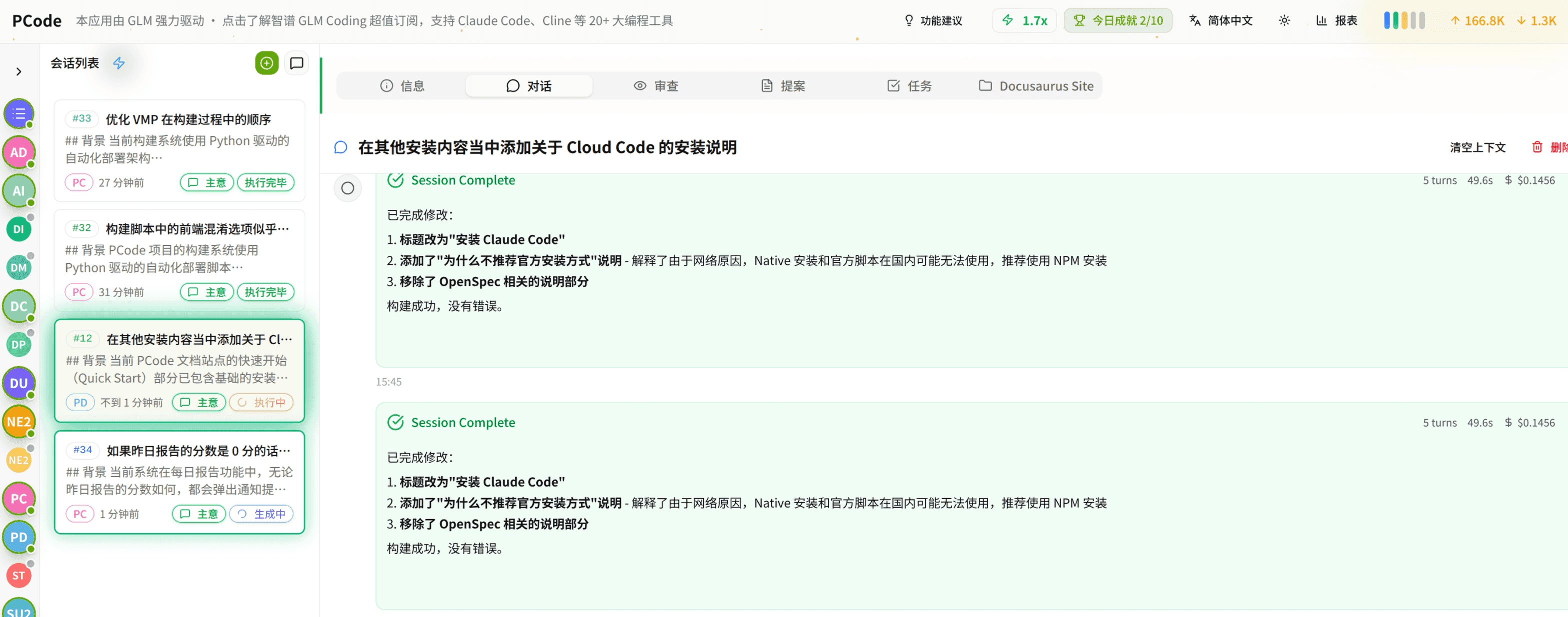
- SmartStructured workflows turn intent into an executable path from idea to shipped change.
- EfficientMulti-agent workflows keep research, implementation, and review moving in parallel.
- FunHero Dungeon interfaces make long coding sessions visual, collaborative, and rewarding.