Quick Start: Get OmniRoute Running in 3 Minutes
TL;DR: Install → Connect a free provider → Point your IDE to OmniRoute. Done.
Step 1: Install OmniRoute
Section titled “Step 1: Install OmniRoute”Choose your preferred method:
Option A: npm (Recommended)
Section titled “Option A: npm (Recommended)”npm install -g omnirouteOption B: Docker
Section titled “Option B: Docker”docker run -d --name omniroute -p 20128:20128 diegosouzapw/omniroute:latest:latest is the highest published stable SemVer. It does not track git main. Pin diegosouzapw/omniroute:X.Y.Z for GitOps. See Image Tags / Release Channels.
Option C: From Source
Section titled “Option C: From Source”git clone https://github.com/diegosouzapw/OmniRoute.gitcd OmniRoutenpm installnpm run devStep 2: Start OmniRoute
Section titled “Step 2: Start OmniRoute”omnirouteOmniRoute starts at http://localhost:20128. The dashboard opens automatically.
Step 3: Connect a Free Provider
Section titled “Step 3: Connect a Free Provider”You can use OmniRoute without paying anything by connecting a free provider.
Option A: Kiro (Free Claude — No Credit Card)
Section titled “Option A: Kiro (Free Claude — No Credit Card)”- Open the dashboard at
http://localhost:20128 - Go to Providers → Add Provider
- Select Kiro AI
- Click Connect (no API key needed!)
- Done! You now have free access to Claude models.
Option B: OpenCode Free (No Auth)
Section titled “Option B: OpenCode Free (No Auth)”- Open the dashboard at
http://localhost:20128 - Go to Providers → Add Provider
- Select OpenCode Free
- Click Connect (no API key needed!)
- Done! You now have free access to multiple models.
Option C: Pollinations (No Key Needed)
Section titled “Option C: Pollinations (No Key Needed)”- Open the dashboard at
http://localhost:20128 - Go to Providers → Add Provider
- Select Pollinations
- Click Connect (no API key needed!)
- Done! You now have free access to GPT-5, Claude, Gemini, and more.
Step 4: Verify It Works
Section titled “Step 4: Verify It Works”From API Keys, create a new key. Store this key since it will not appear again. Do note that this key is for tools to access OmniRoute, not to access upstream providers.
curl http://localhost:20128/v1/models -H "Authorization: Bearer YOUR_KEY"You should see your connected models listed.
Step 5: Point Your IDE or CLI to OmniRoute
Section titled “Step 5: Point Your IDE or CLI to OmniRoute”In your IDE or CLI tool, set:
Base URL: http://localhost:20128/v1API Key: [copy from Dashboard → Endpoints]Model: autoThat’s it! Your IDE now uses OmniRoute with automatic provider selection.
IDE Example: VSCode/Continue.dev
Section titled “IDE Example: VSCode/Continue.dev”- In VSCode, install the Continue.dev extension.
- Update your
~/.continue/config.yamlto add the following lines:
- name: OmniRoute - Auto provider: openai model: auto apiBase: http://localhost:20128/v1 apiKey: <YOUR_KEY>- In the Continue.dev chat pane, select
OmniRoute - Autoand you will make requests to OmniRoute. - (Optional) Exercise for the reader - have your IDE update the
config.yamlwith all the other prebuilt configurations 😊
CLI Example: Codex CLI
Section titled “CLI Example: Codex CLI”- In your operating system, set the environment variable persistently.
For macOS/Linux (add to your
~/.bashrcor~/.zshrc):
export OMNIROUTE_API_KEY="<YOUR_KEY>"For Windows (Command Prompt):
setx OMNIROUTE_API_KEY <YOUR_KEY>- Now let’s launch Codex, but configured for OmniRoute. Run:
omniroute launch-codex --model autoYou can do this manually via codex and command line parameters to specify endpoint and api key, but with the above command, OmniRoute takes care of everything for you.
The same one-command launch works for other CLIs via the generic launcher — omniroute run <target> supports claude, codex, aider, goose, opencode, qwen, and gemini (see CLI Integrations).
- The CLI should be sending requests to OmniRoute now.
Confirm your tool is routing to OmniRoute
Section titled “Confirm your tool is routing to OmniRoute”You can see the details of the request by clicking Monitoring/Logs from the left sidebar. Clicking through shows you more details. As a side note, you can see what info gets sent up from your favorite harness. This is helpful from an educational and debugging perspective.
What’s Next?
Section titled “What’s Next?”- Auto-Combo Guide — Let OmniRoute pick the best AI for you
- Providers Guide — Connect more providers (free and paid)
- Free Tiers Guide — Get free AI with no credit card
- Troubleshooting — Fix common issues
Common Questions
Section titled “Common Questions”“Do I need an API key?”
Section titled ““Do I need an API key?””No! You can use free providers (Kiro, OpenCode Free, Pollinations) without any API key. Just connect them in the dashboard.
“What is auto?”
Section titled ““What is auto?””auto tells OmniRoute to automatically pick the best provider for each request. It considers speed, cost, quality, and availability. See the Auto-Combo Guide for details.
“How much does it cost?”
Section titled ““How much does it cost?””OmniRoute itself is free and open-source. You only pay for the providers you use. Many providers have free tiers — see the Free Tiers Guide.
“Can I use it with Claude Code / Cursor / Copilot?”
Section titled ““Can I use it with Claude Code / Cursor / Copilot?””Yes! OmniRoute works with any tool that supports OpenAI format. Just set the base URL to http://localhost:20128/v1. See the CLI Tools Guide for specific setup instructions.
“What if a provider goes down?”
Section titled ““What if a provider goes down?””OmniRoute automatically skips failed providers and tries the next one. You don’t need to do anything. See the Auto-Combo Guide for details.
Need Help?
Section titled “Need Help?”- Troubleshooting — Common issues and fixes
- Discord — Community support
- GitHub Issues — Report bugs
HagiCode
HagiCode is an agentic coding workspace: structured workflows, multi-agent execution, and Hero Dungeon views turn ideas into shipped software.
Turn ideas into polished, usable software with a smarter, faster, and more enjoyable agentic coding workflow.
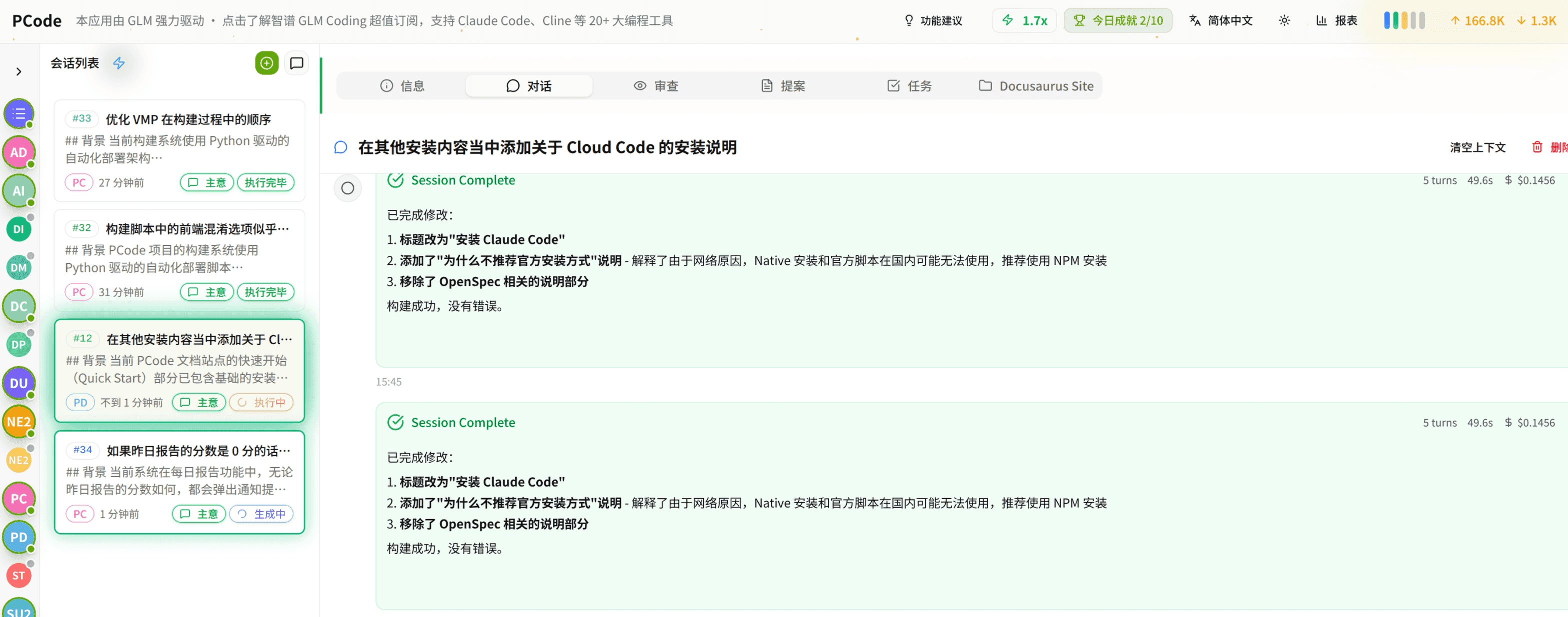
- SmartStructured workflows turn intent into an executable path from idea to shipped change.
- EfficientMulti-agent workflows keep research, implementation, and review moving in parallel.
- FunHero Dungeon interfaces make long coding sessions visual, collaborative, and rewarding.