
Diagrams
Mermaid sources (.mmd) and exported SVGs for OmniRoute v3.8.0 architecture flows.
Canonical diagrams
Section intitulée « Canonical diagrams »| Source | Exported | Used in |
|---|---|---|
| request-pipeline.mmd | SVG | docs/architecture/ARCHITECTURE.md, docs/architecture/CODEBASE_DOCUMENTATION.md |
| auto-combo-scoring.mmd | SVG | docs/routing/AUTO-COMBO.md |
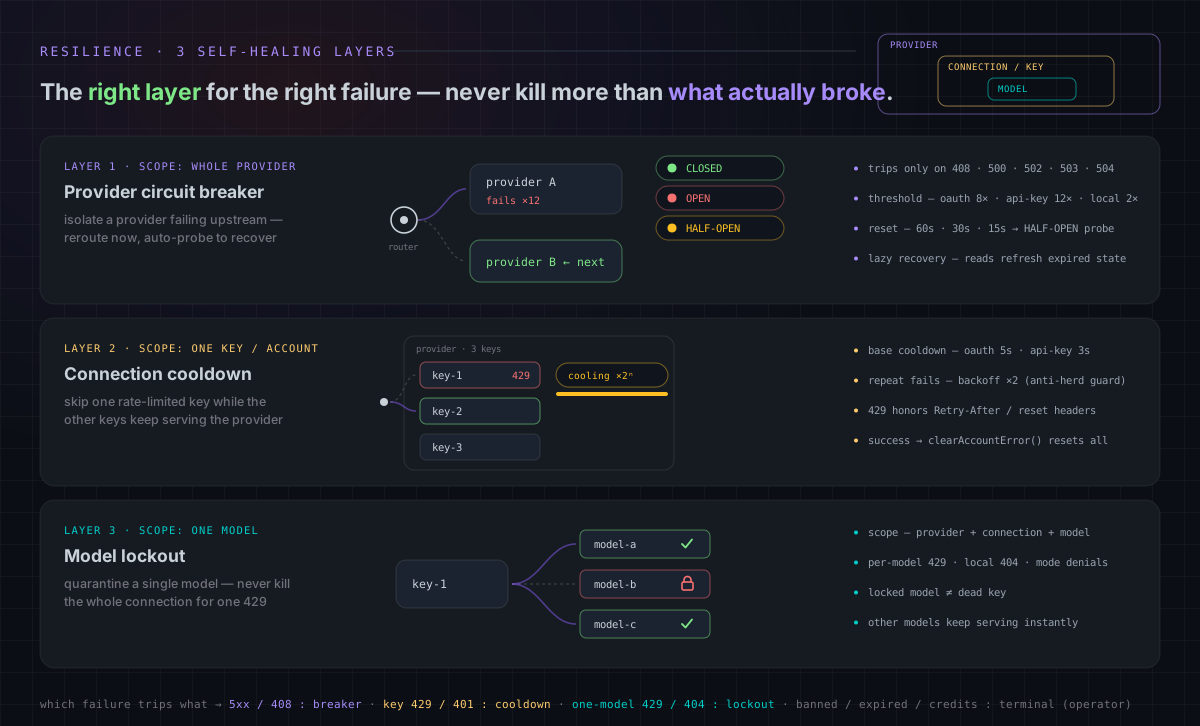
| resilience-3layers.mmd | SVG | docs/architecture/RESILIENCE_GUIDE.md, CLAUDE.md |
| i18n-flow.mmd | SVG | docs/guides/I18N.md |
| mcp-tools.mmd | SVG | docs/frameworks/MCP-SERVER.md |
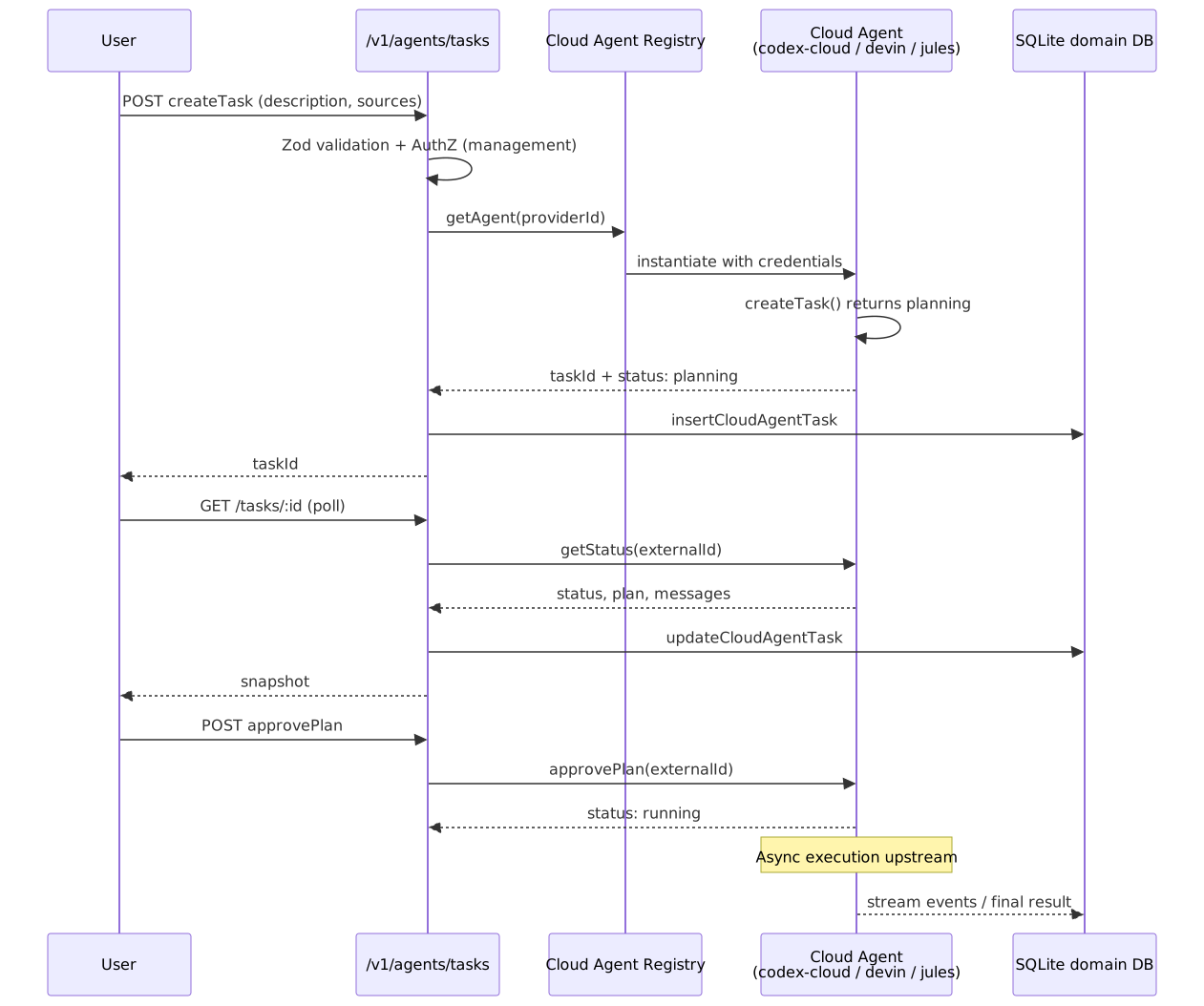
| cloud-agent-flow.mmd | SVG | docs/frameworks/CLOUD_AGENT.md |
| authz-pipeline.mmd | SVG | docs/architecture/AUTHZ_GUIDE.md |
| db-schema-overview.mmd | SVG | docs/architecture/CODEBASE_DOCUMENTATION.md |
Hand-authored animated diagrams
Section intitulée « Hand-authored animated diagrams »Not every diagram comes from a .mmd source. Hand-authored SVGs live at this
directory’s root and animate with SMIL only (no JS, no external fonts), so they play
inside GitHub’s <img> sandbox:
| File | Used in | Notes |
|---|---|---|
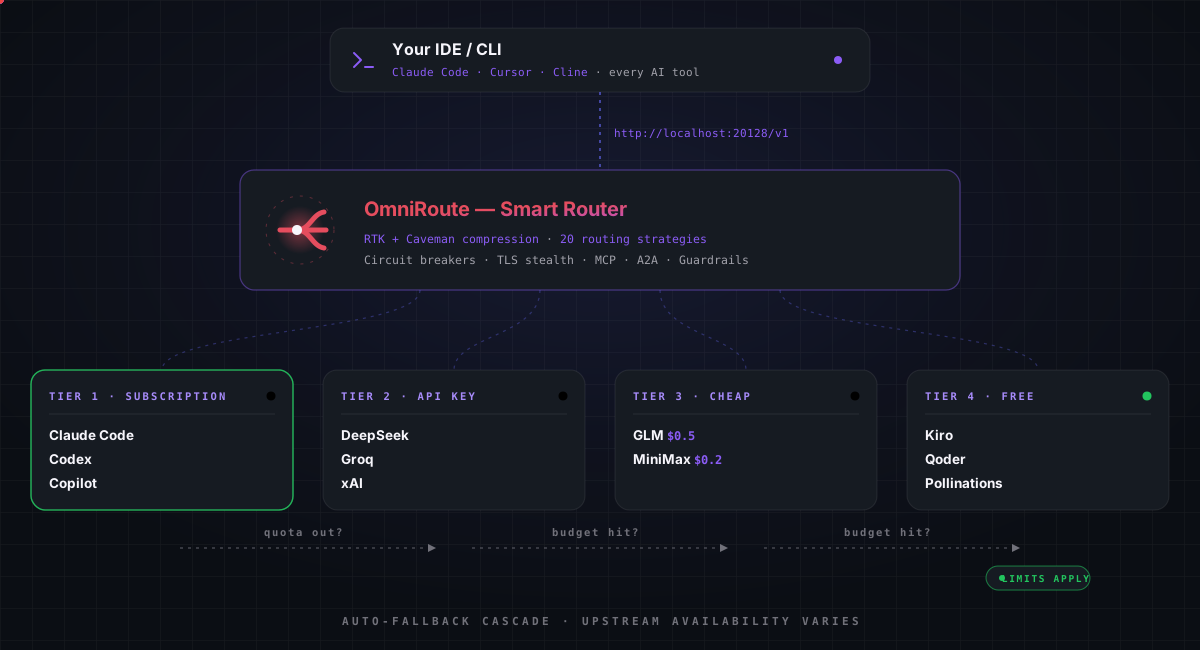
| tier-cascade.svg | README.md (root) | Animated 4-tier auto-fallback cascade (16s loop, 4 acts). Edit the SVG directly — there is no .mmd source. |
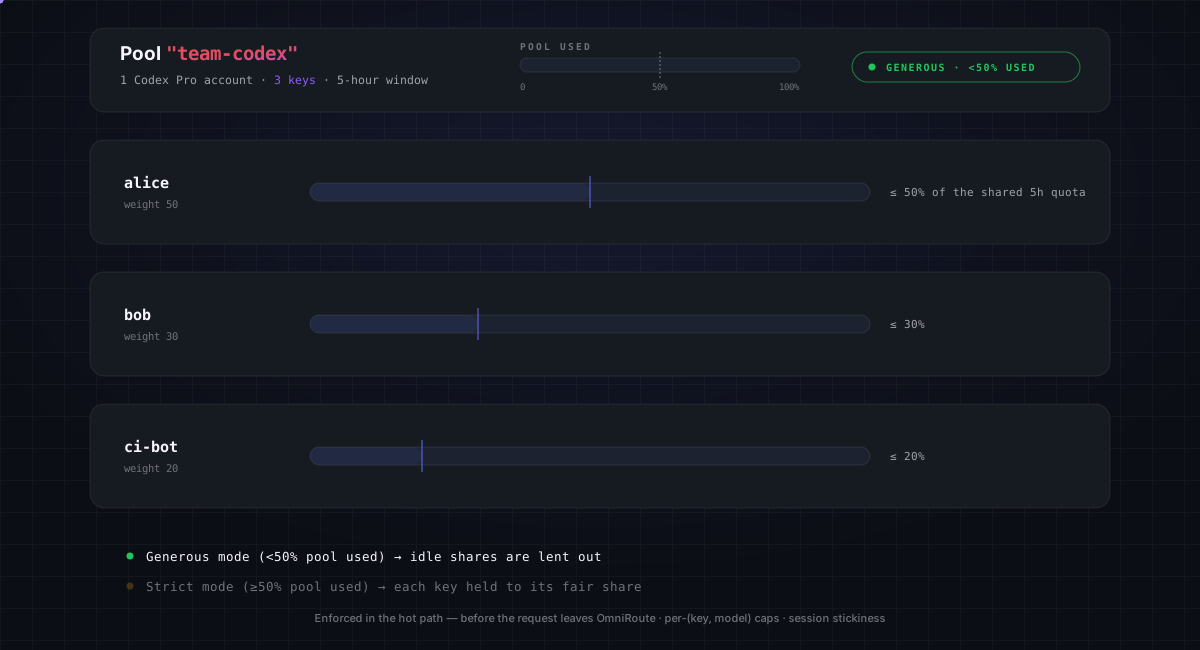
| pool-fair-share.svg | — (unused) | Animated key-pool fair-share quota (generous → strict, 16s loop). Edit the SVG directly — there is no .mmd source. |
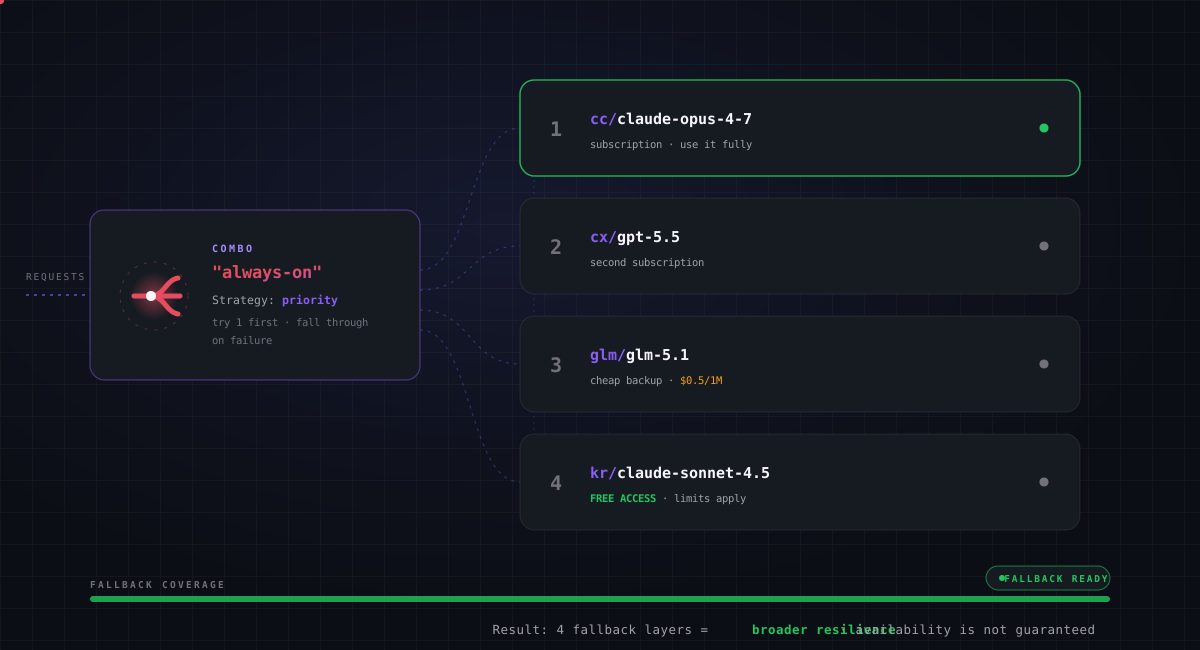
| combo-always-on.svg | style reference | Animated priority-combo fallback (4 layers, 16s loop). Edit the SVG directly — there is no .mmd source. |
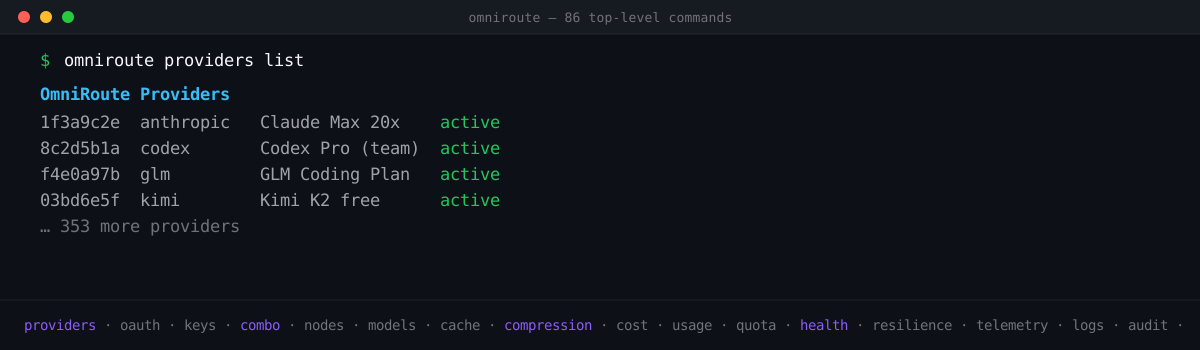
| cli-terminal.svg | README.md (root) | Compact half-height animated terminal (1200×350): 3 real CLI commands cycling with typewriter + scrolling subcommand ticker; first frame = completed providers screen. Edit the SVG directly — there is no .mmd source. |
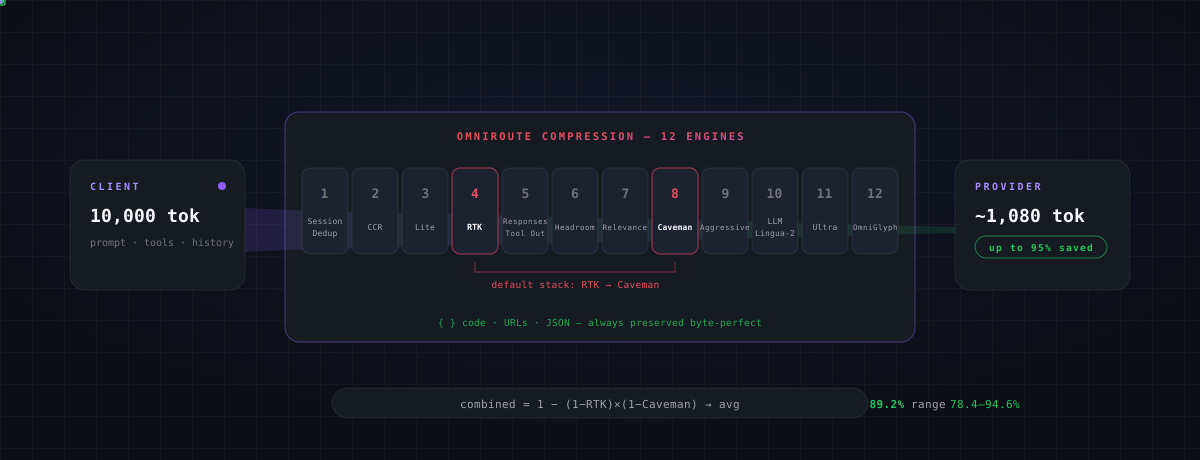
| compression-pipeline.svg | README.md (root) | Animated 12-engine compression funnel (8s loop). Edit the SVG directly — there is no .mmd source. |
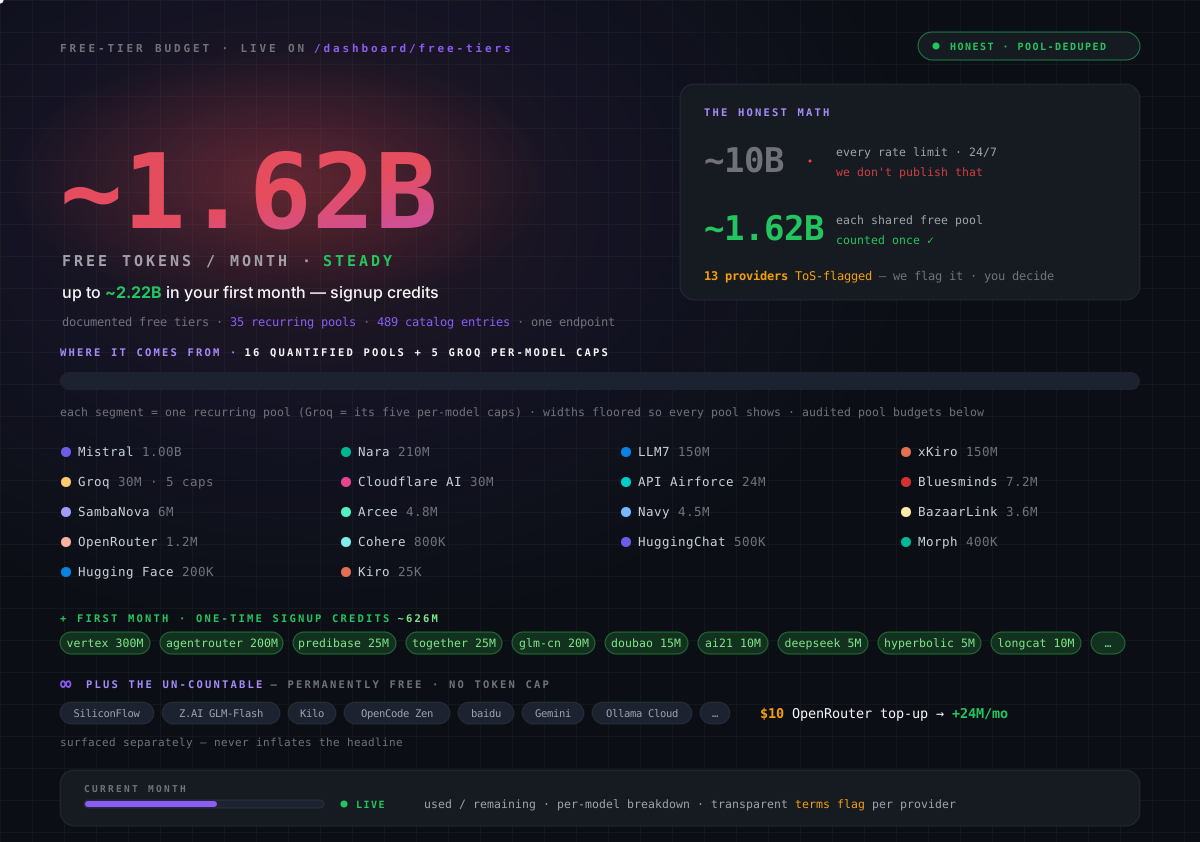
| free-tier-budget.svg | README.md (root) | Animated free-tier budget card (~1.62B/mo quantified headline, 17-pool + Groq-caps budget bar, per-pool grid, signup credits, 10s loop). Edit the SVG directly — there is no .mmd source. |
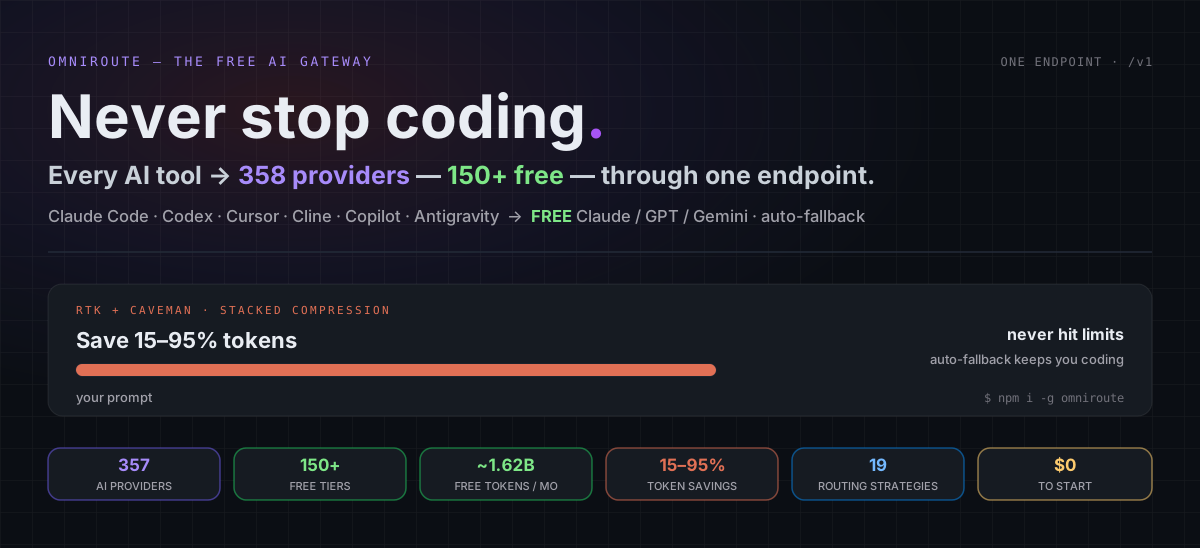
| readme-hero.svg | README.md (root) | Animated hero card (tagline, live provider/free-access headline, full-width compression bar demo, 6 stat chips). Edit the SVG directly — there is no .mmd source. |
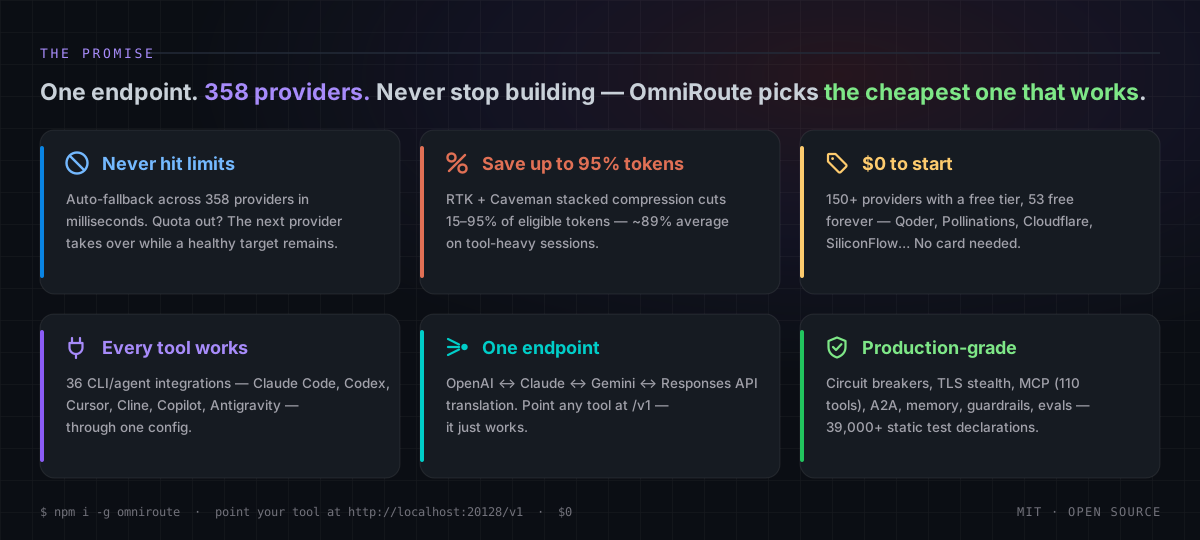
| promise-pillars.svg | README.md (root) | Animated “The Promise” 6-pillar card (12s border-highlight sweep). Edit the SVG directly — there is no .mmd source. |
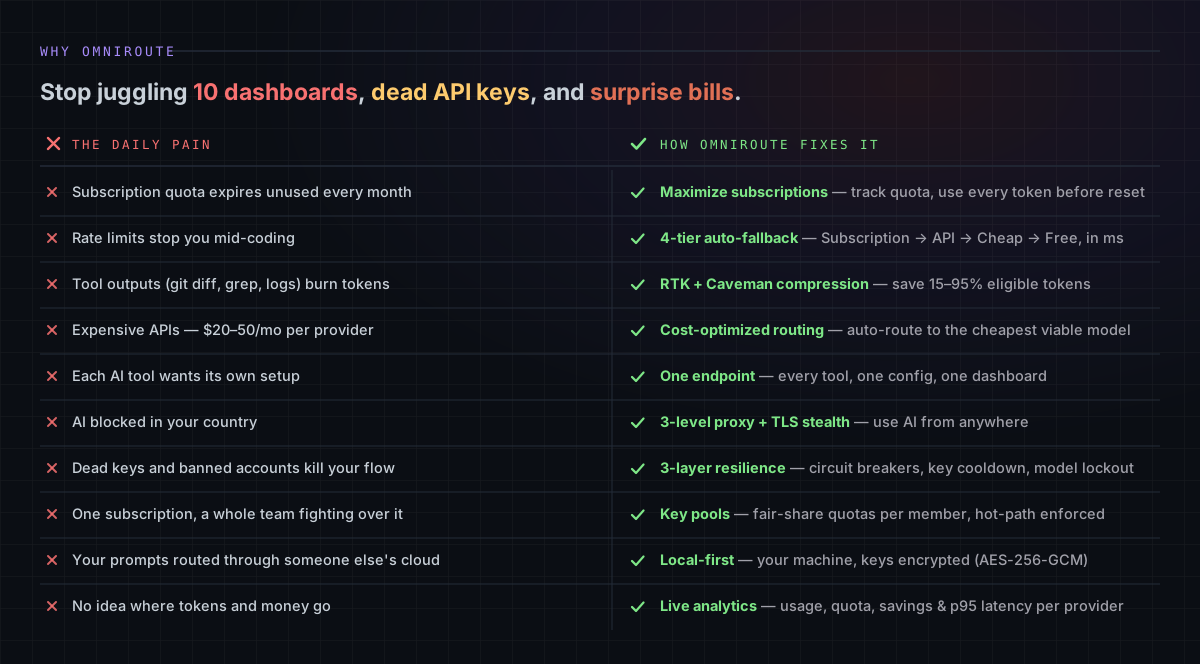
| why-pain-fix.svg | README.md (root) | Animated “Why OmniRoute” 10-row pain-vs-fix ledger (15s green row sweep). Edit the SVG directly — there is no .mmd source. |
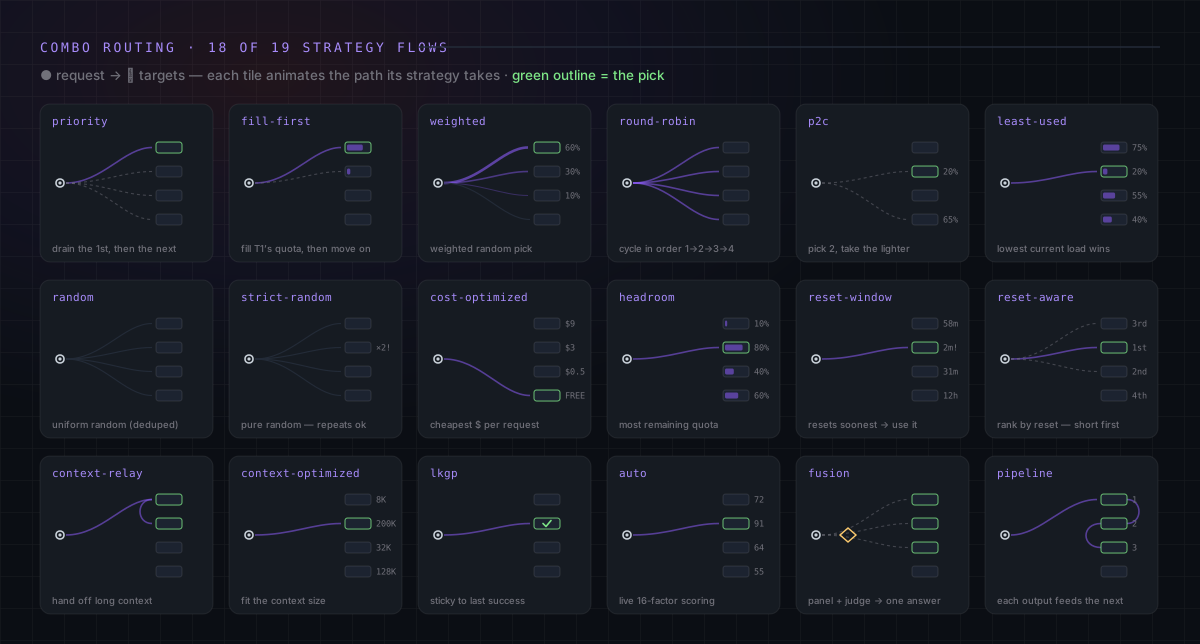
| strategies-grid.svg | README.md (root) | Animated grid illustrating 18 of the 19 routing strategies; cache-optimized remains documented in the adjacent table. Edit the SVG directly — there is no .mmd source. |
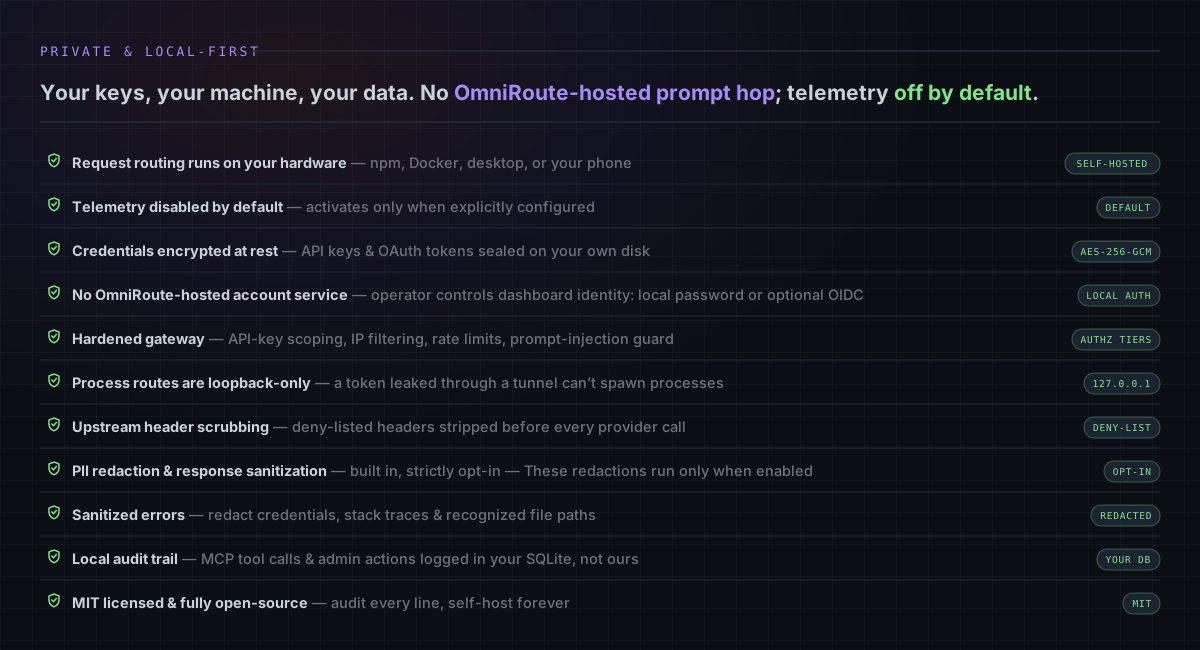
| privacy-local.svg | README.md (root) | Animated “Private & Local-First” 11-row guarantee ledger with receipt chips (16s green row sweep). Edit the SVG directly — there is no .mmd source. |
| resilience-layers.svg | README.md (root) | Animated 3-layer resilience card (breaker states CLOSED→OPEN→HALF-OPEN, key cooldown with ×2 backoff, model lockout — 18s loops). Edit the SVG directly — there is no .mmd source. |
How to update
Section intitulée « How to update »- Edit
*.mmd. - Re-render:
npm run docs:render-diagrams(uses@mermaid-js/mermaid-cli). - Commit both
.mmdand.svg.
If @mermaid-js/mermaid-cli is not available locally, install it once:
npm install -g @mermaid-js/mermaid-cliThe script renders every .mmd in docs/diagrams/ into docs/diagrams/exported/*.svg
with a white background, suitable for both dark and light themes.
Linking from a doc
Section intitulée « Linking from a doc »From a doc in docs/<subfolder>/, the relative path becomes ../diagrams/...:

> Source: [../diagrams/request-pipeline.mmd](../diagrams/request-pipeline.mmd)From the repo root (e.g. CLAUDE.md):
Conventions
Section intitulée « Conventions »- One concept per diagram. Don’t try to fit the whole platform in one chart.
- Keep node labels short (3-6 words). Use
<br/>for line breaks inside nodes. - Prefer
flowchart LRfor pipelines andflowchart TBfor layered models. - Use
sequenceDiagramfor interactive (request/response) flows. - Use
erDiagramfor database schema overviews. - Update both
.mmdand.svgin the same commit. Keep them in lock-step.
HagiCode
HagiCode est un espace de développement agentique. Des interactions d’interface riches et pratiques rendent la planification, l’exécution des agents et le travail sur les projets accessibles et faciles à suivre, pour une expérience de développement engageante.
Une expérience de développement engageante grâce à des interactions d’interface riches et pratiques.

- IntelligentLes workflows OpenSpec transforment une intention en parcours exécutable, de la proposition à la livraison en passant par la conception et les tâches.
- EfficaceL’exécution multi-agent fait avancer recherche, réalisation et revue en parallèle, sur plusieurs dépôts et avec les Agent CLI que vous utilisez déjà.
- IntéressantDes interactions d’interface riches et pratiques rendent la planification, l’exécution des agents et le travail sur les projets accessibles et faciles à suivre.
Télécharger pour Windows
Partager HagiCode





Transformez vos idées en logiciels livrés.
HagiCode est un espace de développement agentique : les workflows OpenSpec planifient le changement, l’exécution multi-agent le réalise et Hero Scenario rend le long parcours visible, pour transformer vos idées en logiciels livrés.
- Intelligent
- Les workflows OpenSpec transforment une intention en parcours, de la proposition à la livraison.
- Efficace
- L’exécution multi-agent mène recherche, réalisation et revue en parallèle.
- Ludique
- Les interactions d’interface facilitent la planification, l’exécution des agents et les projets.
© 2026 HagiCode | Powered By hagilight-starlight@0.21.0 | Branch: main | Commit: de60bcd | Built: